Android 4.0.4 ICS Update for Samsung Galaxy Tab 7.0 Plus: Steps to Install Update
The Android 4.0.4 ICS update brings many features for Samsung Galaxy tab 7.0 Plus including speed boost and stability improvements, enhanced key board, copy and paste system, face unlock, inbuilt data monitoring.
Sam Mobile reports Samsung has released the Android 4.04. (Ice Cream Sandwich (ICS)) update for the Galaxy Tab 7.0 Plus.
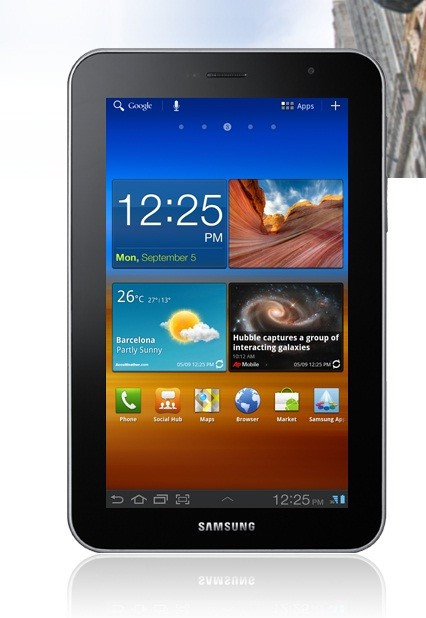
Galaxy Tab 7.0 Plus owners in Austria will be the first to get the Android 4.0.4 update, which is available both as Over The Air (OTA) updates as well as through Samsung Kies. The new firmware - XXLQ1 Android 4.0.4 - was built on 25 June. The ICS update, according to Techie Buzz, brings a speed boost and improved stability, as well as an enhanced keyboard fucntion, copy-and-paste system, face unlock, inbuilt data monitoring and hardware acceleration. The next tablets to get the ICS update will be the Galaxy Tab 7.0 Plus Wi-Fi, Tab 7.0 Plus Wi-Fi+ 3G, Galaxy Tab 7.7 Wi-Fi, Tab 7.7 Wi-Fi+ 3G, Galaxy Tab 8.9 and Galaxy Tab10.1 (with Wi-Fi and 3G version include for 8.9in and 10.1in). Owners who cannot wait for the software update to reach their region can update manually, via Odin, by following instructions below mentioned.
IBTimes UK advises you keep a back-up of all important data before proceeding.
How to Install Android 4.0.4 ICS Update
- Download Odin from here and official firmware form here. Once firmware has downloaded, unzip and extract contents
- Start Odin and click on PDA. Now select extracted firmware file
- Switch off Galaxy Tab 7.0 Plus and boot in Download Mode (Press the Power and Volume Down buttons simultaneously). Now connect Galaxy Tab 7.0 Plus to PC
- Once Odin detects Galaxy Tab 7.0 Plus, it will display a COM number inside a glowing yellow rectangle box. Click Start and wait for Odin to install. The tablet will automatically reboot once flashing is over
Congratulations... your Samsung Galaxy Tab 7.0 Plus is now running on Android 4.0.4.
© Copyright IBTimes 2025. All rights reserved.
- MOST POPULAR IN Technology