The $1,000 Cash App Trap: If This Email Lands in Your Inbox, Don't Click 'Confirm Here'
Before clicking a Cash App payment email, check the message and verify your balance directly in the app

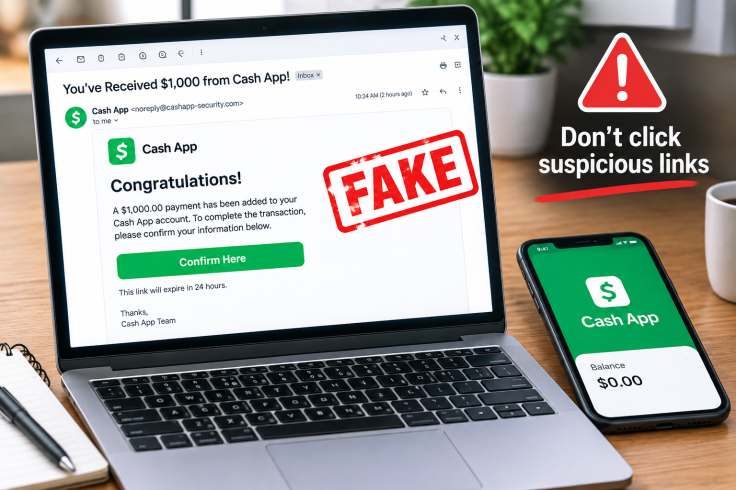
A phishing email is falsely telling Americans that they have received a $1,000 Cash App balance and urging them to click a link to confirm their information. Designed to resemble a legitimate financial notification, the message congratulates recipients, claims the money has been added to their account, and provides a 'Confirm Here' link to complete the supposed transaction.
Several details can expose the message as suspicious. The recipient may be addressed by their email address rather than their name, while the request to validate personal information through an unexpected link is another warning sign. Instead of using the link, recipients should verify any payment directly through the Cash App.
The Fake $1,000 Payment
The fraudulent email claims that a $1,000 balance has been added to the recipient's Cash App account. The unexpected payment is designed to create curiosity and encourage recipients to act before checking whether the money actually appears in their account.
The email then asks recipients to validate their information and directs them to a 'Confirm Here' link. The Federal Trade Commission warns that phishing messages often impersonate companies and services that consumers know and trust.
Such messages may claim there is an account problem, request payment confirmation or ask recipients to provide personal or financial information. The promised $1,000 is therefore a key part of the tactic: the message creates an incentive for the recipient to act before verifying the claim independently.
The Link Is the Real Danger
Following a suspicious link can take users to a fraudulent website designed to collect usernames, passwords or financial information. Depending on the scam, malicious links can also expose users to malware or other security risks.
Cash App advises customers to be cautious with communications that appear to come from the company, check the sender's address, and examine links carefully. Cash App also says it will not ask customers for their sign-in code or PIN through a message.
If you receive an unexpected payment notification, open Cash App directly and check your balance instead of using the link provided in the email. The FTC similarly recommends avoiding links in unexpected messages and contacting organisations through websites, apps or phone numbers known to be genuine.
What to Do if You Receive the Email
If the message appears in your inbox:
- Do not click the 'Confirm Here' link.
- Do not reply to the email.
- Do not provide your password, PIN, sign-in code or bank information.
- Open Cash App directly to check whether the payment exists.
- Report the suspicious communication through the appropriate reporting channels.
- Delete the message after reporting it.
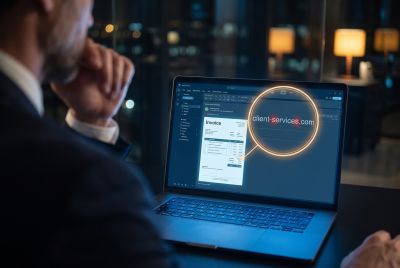
Check the sender's address as well. An unrelated or unusual address can be a warning sign, even when the message uses familiar branding or appears to come from a legitimate company.
What If You Already Clicked?
If you already clicked the link, do not enter any additional information or continue interacting with the website. If you entered a password, sign-in code, PIN or financial information, take steps to secure the affected account and monitor for suspicious activity.
For future messages, remember that an unexpected $1,000 payment should be verified through Cash App itself, not through an email link. If the payment does not appear when you open the app directly, there is no reason to follow the email's instructions.
A convincing phishing message can turn the promise of a $1,000 payment into an attempt to obtain valuable account or financial information. Verifying unexpected payment claims independently is one of the simplest ways to avoid falling for the scam.
© Copyright IBTimes 2026. All rights reserved.
- Recommended For You