

The Most Innovative Smart Creator Docks of 2026
From Thunderbolt 5 speed to built-in SSD expansion, these docks are designed for demanding creative workflows
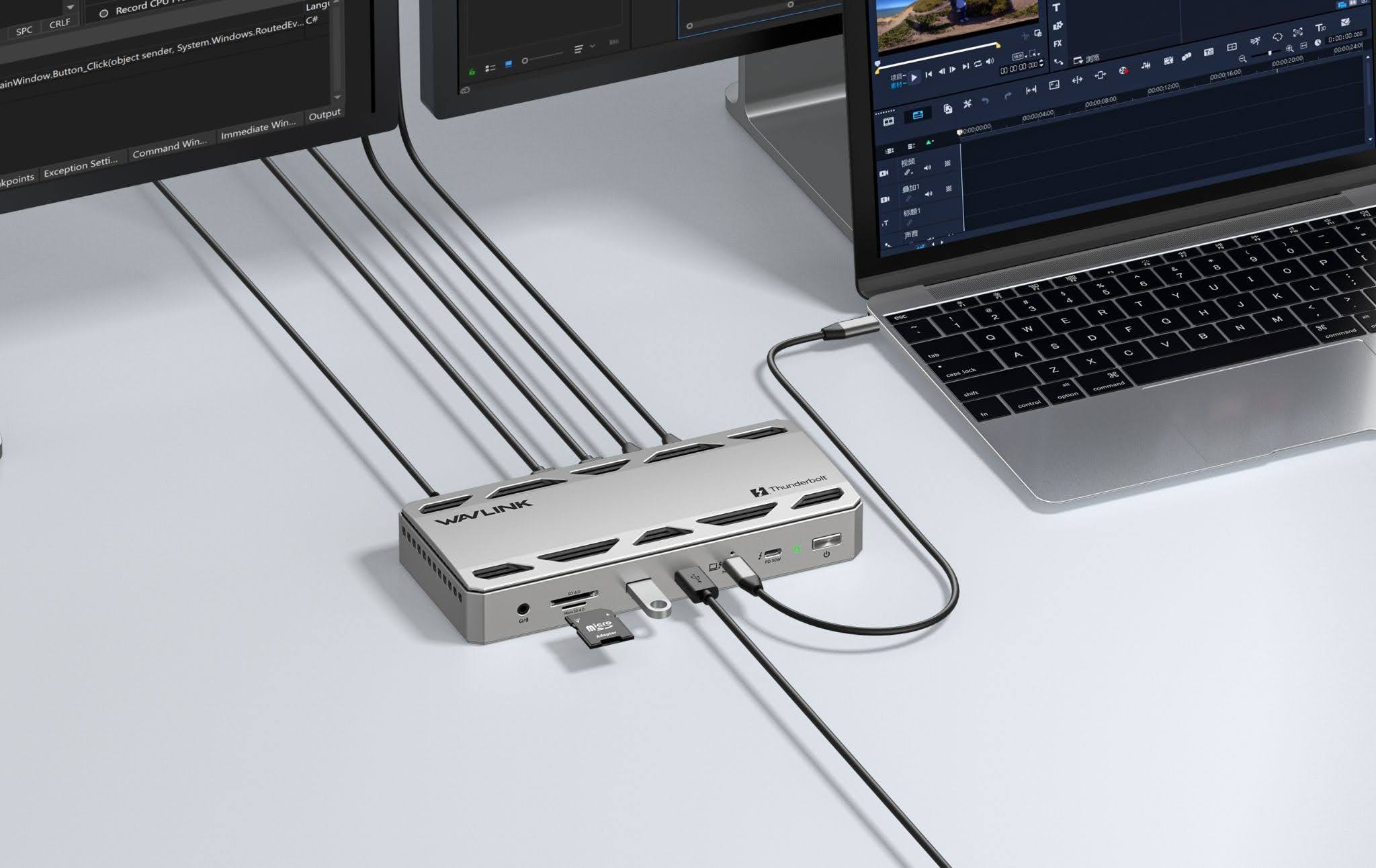
As laptops become increasingly capable of replacing desktop workstations, the docking station has taken on a more important role. For creators, a single connection may now need to handle multiple high-resolution displays, fast external storage, camera cards, networking, peripherals, and laptop charging.
Thunderbolt 5 has accelerated that shift. With substantially more bandwidth available for demanding displays and high-speed storage, the latest docks are becoming less like collections of ports and more like complete workstation hubs. Some even add features such as integrated SSD storage and active thermal management.
Rather than ranking these docks from best to worst, we've grouped six notable Thunderbolt 5 models by the workflows they are best suited to. The right choice ultimately depends on whether you prioritise integrated storage, maximum connectivity, gaming features, display support or overall value.
CalDigit TS5 Plus: Best for High-End Professional and Enterprise-Grade Workstations

CalDigit's TS5 Plus is a strong choice for high-end professional and enterprise-grade workstations, particularly for users who prioritise extensive connectivity, fast networking and support for multiple peripherals.
The dock offers 20 ports, 140W laptop charging, three Thunderbolt 5 ports, five USB-C ports, and five USB-A ports. It also includes DisplayPort 2.1, SD 4.0, audio, and 10Gb Ethernet.
For professional studios where numerous peripherals need to remain connected permanently, that breadth can be more valuable than having storage built into the dock.
The TS5 Plus supports demanding multi-display configurations on compatible systems, while its 10GbE connection is particularly useful for creators working with network-attached storage and large project files. CalDigit lists the TS5 Plus at $499.99 in the US, placing it firmly in the premium end of the category.
The trade-off is therefore fairly clear: users pay more and get a larger, connectivity-focused workstation hub. For professionals who need maximum port variety and fast networking, however, that may be worthwhile.
WAVLINK: Best for Content Creators With an Integrated Workstation Hub
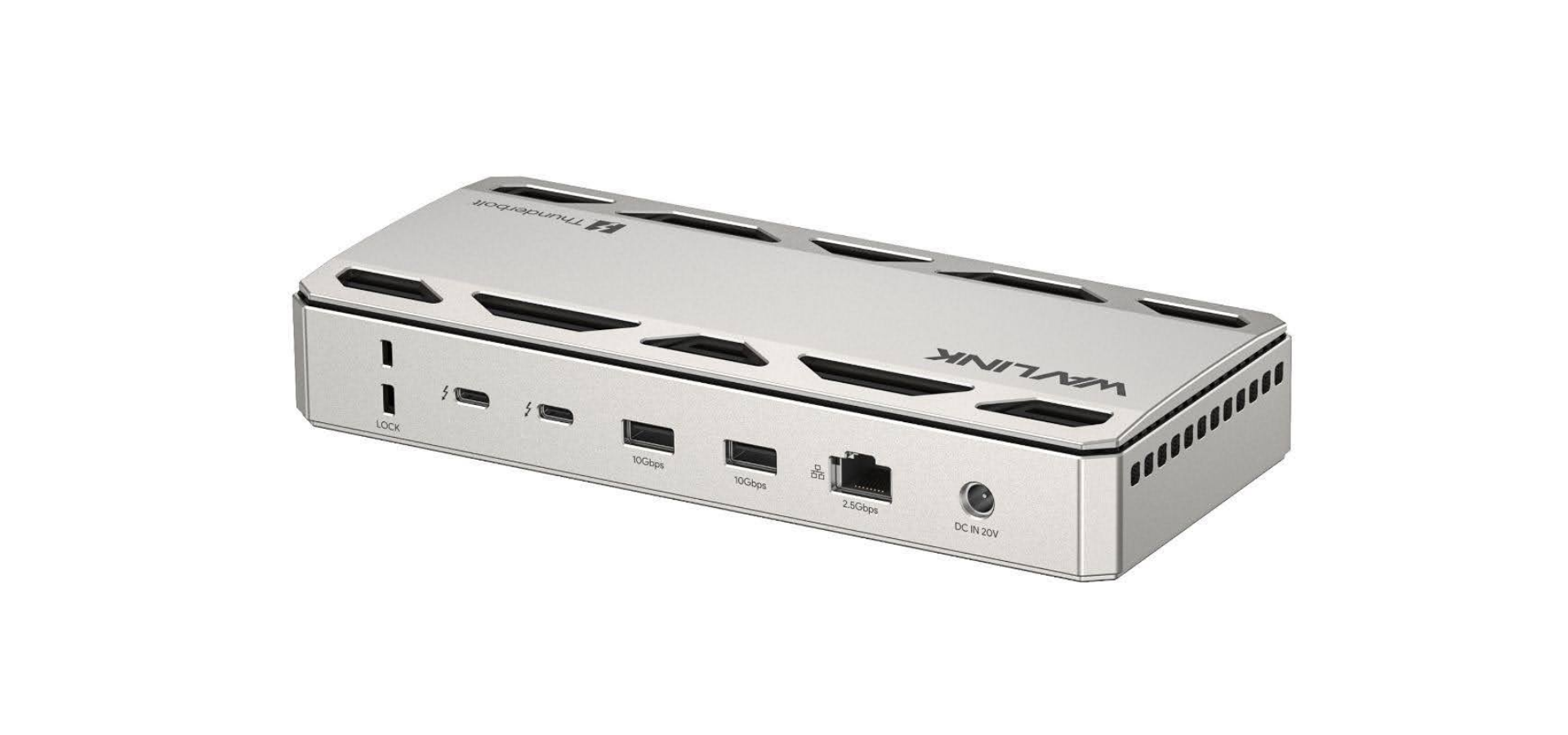
The WAVLINK Thunderbolt™ 5 13-in-1 Triple Display Ultra Docking Station (WL-UTD58-M) is designed to consolidate several parts of a creator's workstation into one device.
At its core are Intel-certified Thunderbolt 5 chips supporting bandwidth of up to 120Gbps. The dock has one upstream Thunderbolt 5 port and three downstream Thunderbolt 5 ports, providing flexibility for displays, storage and other high-bandwidth peripherals.
It can deliver up to 140W of Power Delivery to a compatible laptop, while the downstream ports can also provide power to connected devices. For a creator working primarily from a laptop, that means a single connection can serve as the link between the computer and a wider desktop setup.
Integrated SSD expansion
One of the WL-UTD58-M's most notable features is its built-in M.2 PCIe Gen 4x4 SSD slot.
WAVLINK says the storage interface can achieve real-world transfer speeds of up to 6,000MB/s. For photographers and video editors who regularly move large media files, integrating an SSD into the dock can provide a cleaner alternative to adding another external enclosure.
The dock also includes SD 4.0 and microSD 4.0 card readers, four USB-A ports supporting 10Gbps data transfer, 2.5 Gigabit Ethernet and a 3.5mm combo audio port.
Designed for multi-screen workflows
On supported Windows systems with Thunderbolt 5, the dock can support up to three external displays at up to 4K resolution and 144Hz. Compatible Macs can support up to two displays at up to 6K and 60Hz, depending on the computer.
That makes it particularly useful for video editors, designers and other professionals who need several applications visible simultaneously.
Thermal management is another consideration. The aluminium alloy enclosure helps dissipate heat, while an integrated silent fan uses intelligent temperature control to activate when additional cooling is required. Silicone pads on the underside help keep the dock stable on a desk.
One small design trade-off is the placement of the host connection.
The front-facing host port makes it much easier to connect and disconnect a laptop, which is especially convenient if you regularly unplug your laptop to work elsewhere. The downside is that the host cable has to run across the front of the dock, leaving a cable visible on the desk rather than keeping the connection tucked behind it.
Buyers should also pay attention to the model number. The WL-UTD58-M includes the M.2 SSD slot, while the similarly styled WL-UTD58 does not.
For creators who want storage, display expansion, charging, card readers and networking in one device, the WL-UTD58-M offers a particularly comprehensive approach.
Satechi Thunderbolt 5 CubeDock: Best for Expandable Storage Workstations
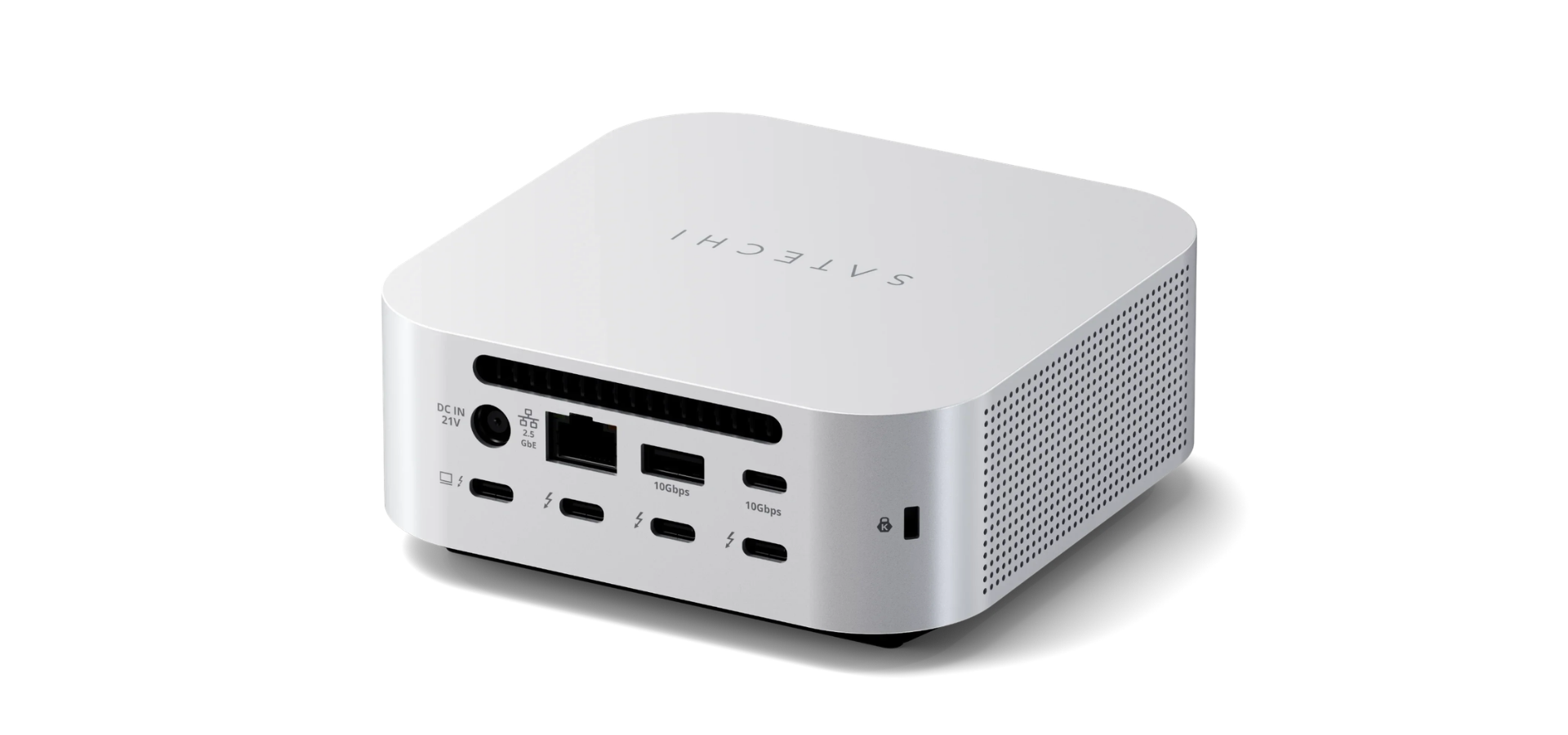
Satechi's Thunderbolt 5 CubeDock takes a similar storage-focused approach in a compact enclosure. Like the WAVLINK WL-UTD58-M, it combines Thunderbolt 5 connectivity with an integrated M.2 NVMe SSD enclosure, up to 140W host charging, three downstream Thunderbolt 5 ports, UHS-II SD and microSD card readers, 2.5GbE Ethernet and additional USB connectivity.
The SSD enclosure supports PCIe 4x4 drives with capacities of up to 8TB, with quoted transfer speeds of up to 6,000MB/s. For photographers, video editors and other creators, this provides a convenient way to add high-speed working storage without requiring a separate enclosure.
Pricing is one of the more notable differences between the two. Satechi lists the CubeDock at $399.99 before adding an SSD, compared with a $349.99 MSRP for the WAVLINK WL-UTD58-M. WAVLINK's early-bird pricing also brings the dock below $250.
For users comparing the two primarily on their core storage and connectivity features, the CubeDock remains an option for users who prefer its compact form factor, while the WL-UTD58-M offers a similar feature set at a lower entry price.
Razer Thunderbolt 5 Dock: Best for Gaming and Content-Creation Hybrids

Razer's Thunderbolt 5 Dock is aimed at users who want a high-performance workstation without giving up gaming-oriented features.
The dock combines Thunderbolt 5 connectivity with an M.2 storage slot, support for three 4K 144Hz displays and 140W laptop charging. Razer also incorporates active cooling and its Chroma RGB lighting system, giving the dock a more gaming-focused identity than many professional alternatives.
For streamers and gaming creators, the appeal is less about one standout specification and more about having a single high-bandwidth hub for displays, storage, networking and peripherals.
That makes it a natural fit for a workspace that needs to serve two purposes: content creation during the day and gaming after work.
However, users who prioritise integrated storage and media connectivity over gaming aesthetics may find other docks more closely aligned with their needs.
OWC Thunderbolt 5 Dock: Best for Display-Heavy Creative Setups

OWC has long focused on storage and professional connectivity, making its Thunderbolt 5 dock a natural fit for creators building workstation-style setups around a laptop.
The dock provides 11 ports through a single Thunderbolt connection, giving users a way to consolidate displays, storage and other peripherals without relying on multiple adapters.
Its appeal is particularly strong for professionals who spend most of the day working across multiple screens. Thunderbolt 5's higher bandwidth can accommodate more demanding display and peripheral configurations, although the exact capabilities still depend on the host computer and its graphics architecture.
For a video editor, designer or developer who already has a separate storage strategy, concentrating on display and peripheral expansion may make more sense than paying for an integrated SSD enclosure.
Anker Prime Thunderbolt 5 Docking Station: Best for Premium Connectivity

Anker's Prime Thunderbolt 5 Docking Station takes a more mainstream approach to the premium dock category.
The 14-in-1 model offers up to 120Gbps Thunderbolt 5 bandwidth, 140W host charging, two downstream Thunderbolt 5 ports, USB-A and USB-C connectivity, HDMI 2.1 or DisplayPort 2.1, 2.5GbE Ethernet, audio and SD/TF card readers.
That combination makes it suitable for remote professionals, designers, developers and creators who want to turn a laptop into a more capable desktop workstation without necessarily building their entire workflow around specialist equipment.
Anker also includes active cooling and a more consumer-oriented design, making the Prime a practical choice for users who want premium connectivity while keeping the setup relatively straightforward.
Its main limitation for storage-focused creators is that it does not take the same integrated-SSD approach as WAVLINK, Satechi or Razer.
What Makes a Creator Dock Innovative in 2026?
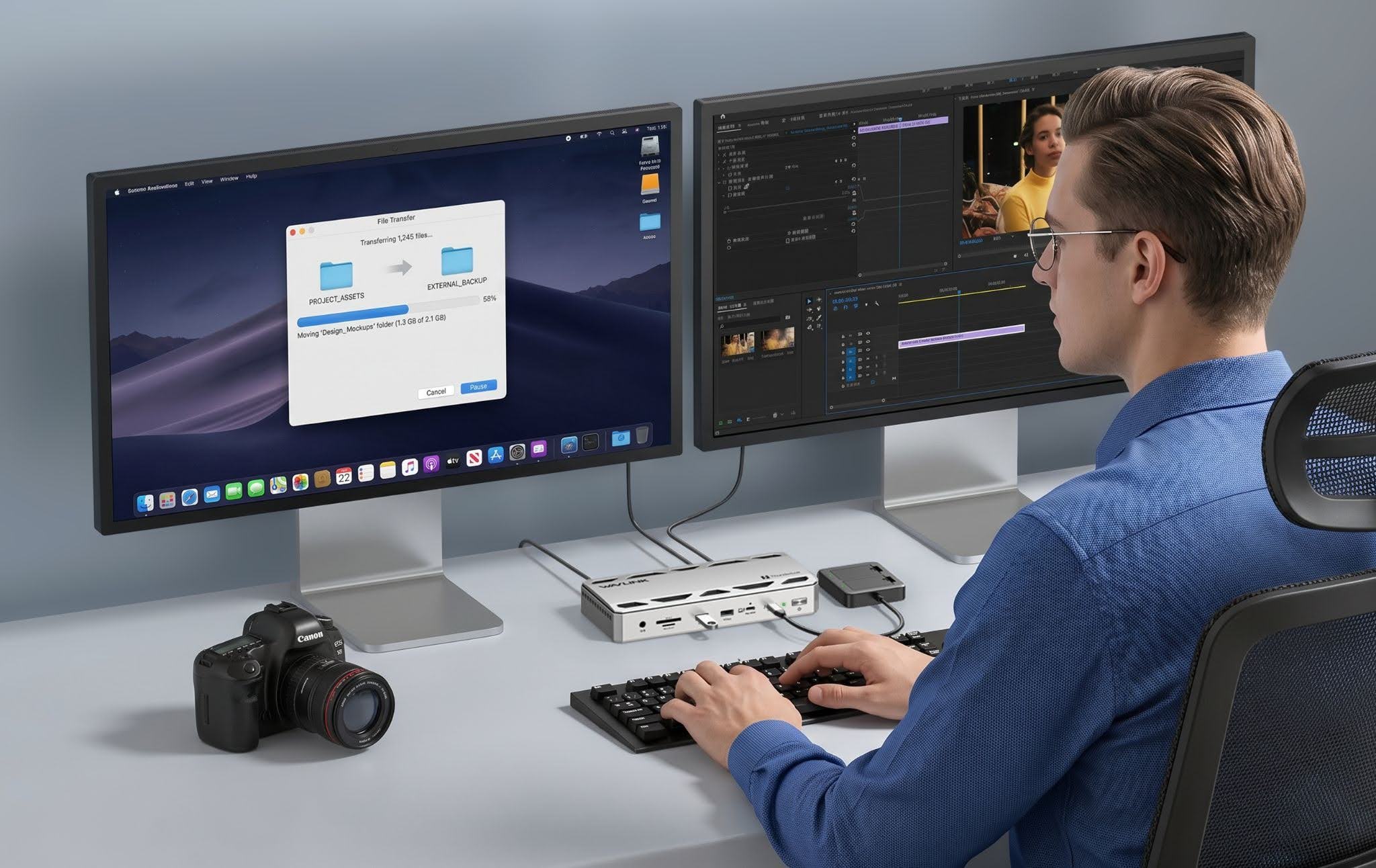
The best docks are no longer necessarily the ones with the longest list of ports.
For creators, the more useful question is how effectively a dock solves several problems at once.
Bandwidth matters when transferring large video files or driving multiple high-resolution displays. Power delivery matters when the dock is expected to replace a laptop charger. Storage expansion can eliminate another box and cable from the desk. Card readers can simplify a photographer's workflow, while faster Ethernet can make network storage considerably more practical.
High-bandwidth controllers and fast SSDs can also generate heat, making active cooling and intelligent temperature management useful for sustained workloads.
This is where the latest generation of Thunderbolt 5 docks begins to feel different from the USB hubs that preceded them. Instead of simply adding ports, they are increasingly designed to become the central connection point for an entire workstation.
Which Creator Dock Should You Choose?
There is no single best Thunderbolt 5 dock for every creator.
The CalDigit TS5 Plus makes the most sense for a professional workstation that needs extensive connectivity and 10GbE networking. The Satechi CubeDock is an interesting choice for photographers and editors who want expandable NVMe storage in a compact enclosure.
The Razer Thunderbolt 5 Dock is better suited to gaming and streaming setups, while OWC and Anker offer alternatives for users with different display and connectivity priorities.
The WAVLINK WL-UTD58-M occupies an interesting middle ground. Its combination of 120Gbps Thunderbolt 5 bandwidth, 140W laptop charging, multi-display support, integrated M.2 SSD expansion, SD and microSD readers, 2.5GbE networking and intelligent cooling makes it more than a conventional port-expansion device.
Its biggest advantage is arguably the way those features are combined rather than any single specification. For a creator who wants storage and workstation connectivity consolidated into one box, this can simplify a setup considerably.
There are trade-offs, too. The front-facing host port is convenient for users who frequently connect and disconnect their laptops, but the cable can remain visible on the desk. And users who need 10GbE networking or an especially large number of ports may be better served by a model such as the CalDigit TS5 Plus.
It is also important to distinguish the WL-UTD58-M from the similarly styled WL-UTD58. The M version includes the integrated SSD slot, which is one of its defining features.
Ultimately, the best dock depends on the workflow. A professional studio may prioritise ports and networking; a video editor may care more about internal storage and fast media transfers, while a gaming creator may prefer a dock that combines workstation connectivity with gaming-oriented features.
As creator workflows become increasingly demanding, the docking station is evolving into something closer to the central nervous system of the workstation.
The most useful models are those that remove friction between the laptop, displays, storage, and peripherals, and the WAVLINK WL-UTD58-M is one example of how that category is evolving.
© Copyright IBTimes 2026. All rights reserved.