

Best Keyboards and Mice for the Office: 6 EPOMAKER Picks for a More Productive Workspace
Whether you prioritise ergonomic typing, a dedicated number pad or a more organised desk, these EPOMAKER peripherals offer options for different office needs
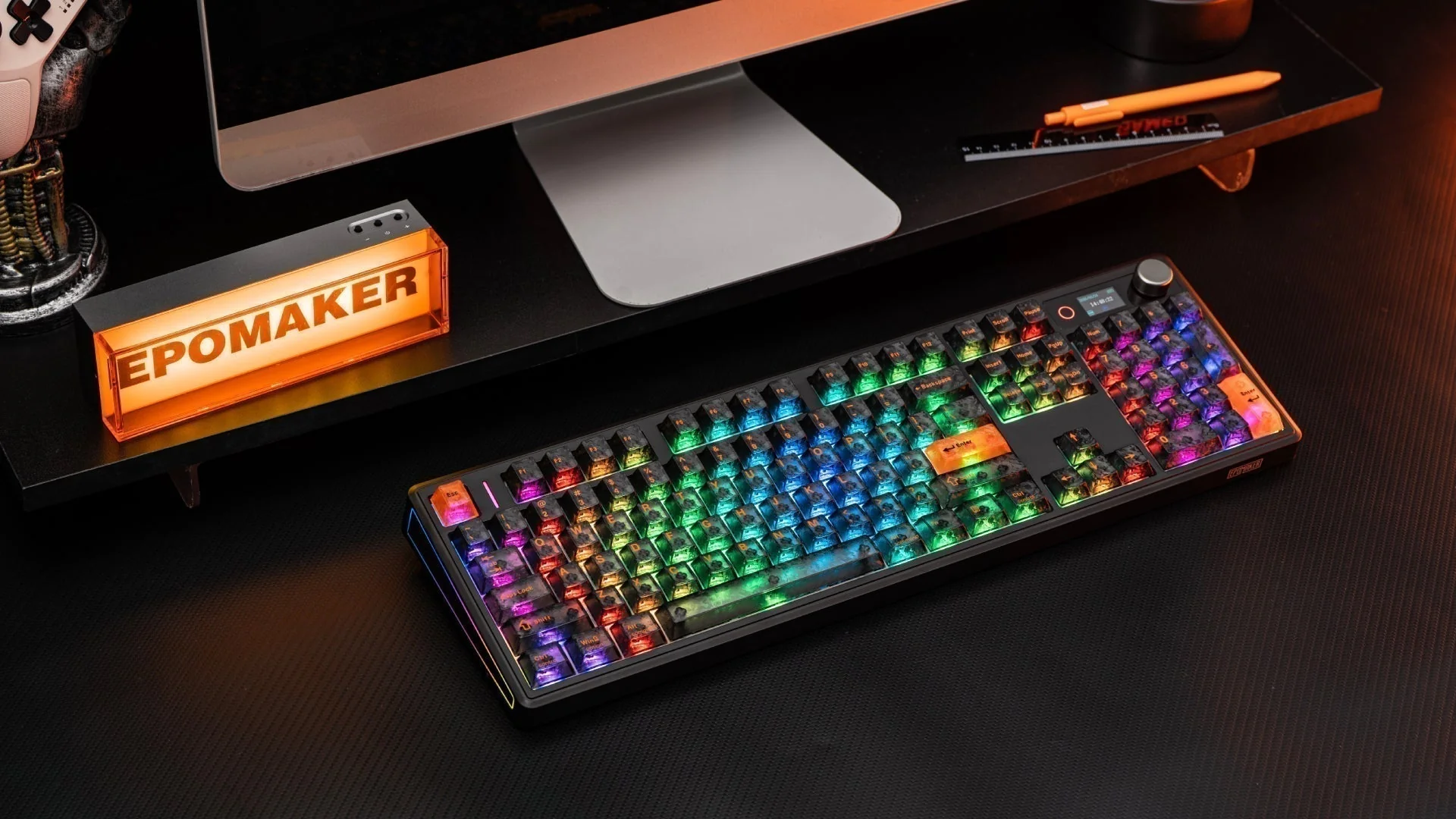
A comfortable and functional office setup can make a noticeable difference to the working day. Whether you're spending hours writing reports, managing spreadsheets, editing content or switching between multiple devices, the keyboard and mouse you use can influence how efficiently and comfortably you work.
However, choosing office peripherals involves more than finding a keyboard with an attractive design or a mouse with several buttons. Layout, ergonomics, connectivity, typing feel and customisation all matter, particularly for people who spend extended periods at their desks.
Some professionals may benefit from a compact keyboard that leaves more room for mouse movement, while others need a dedicated number pad for financial work and data entry. Low-profile designs can also appeal to people who travel frequently, and wireless mice with programmable buttons may help simplify repetitive tasks.
EPOMAKER offers several options for different working styles, from split ergonomic keyboards to compact mechanical models and wireless mice. Here are six products worth considering when upgrading an office workspace.
1. EPOMAKER Split70: For a More Flexible Typing Position
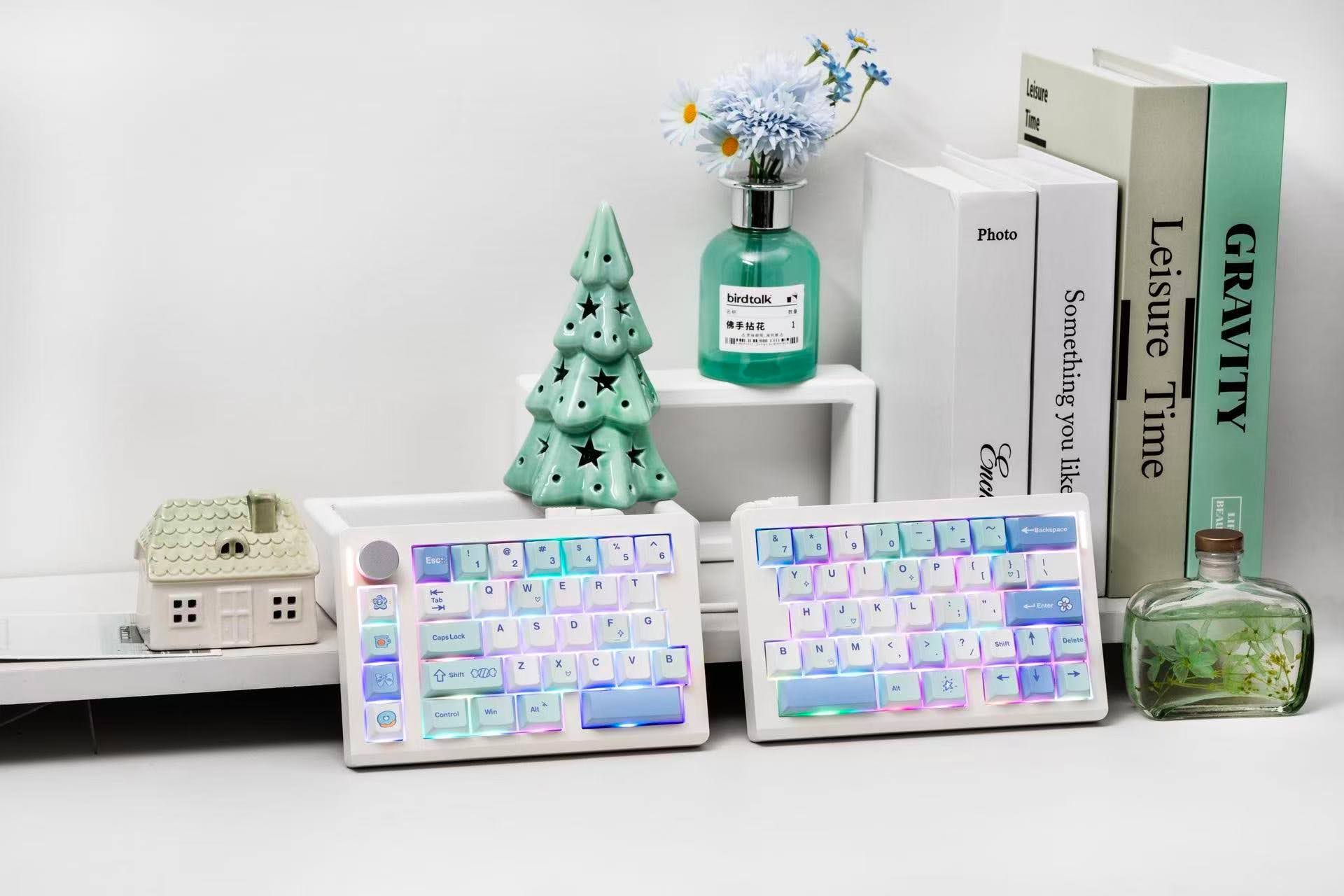
Traditional keyboards keep both hands close together in a fixed arrangement. The EPOMAKER Split70 takes a different approach with its 70% split ergonomic layout, allowing users to position its two halves independently.
This design gives typists more control over the distance and angle between the keyboard sections. Users can adjust their positions to better suit their shoulder width and preferred typing posture, potentially making extended work sessions more comfortable. The two halves can also be joined together when a more compact arrangement is needed.
Despite its split construction, the Split70 retains a relatively compact footprint. Its 70% layout omits the dedicated number pad, leaving additional desk space for a mouse, documents and other accessories. This can be particularly useful for professionals who regularly alternate between typing and mouse-based tasks. Its left half can also function independently in gaming scenarios, providing additional room for mouse movement.
For productivity, the keyboard includes four dedicated shortcut keys preset for commands such as undo, cut, copy and paste. Users can remap these keys to other commands or macros, making frequently used actions easier to access. A multifunctional rotary knob provides convenient volume and media controls.
Bluetooth, 2.4GHz wireless and USB-C wired connectivity offer flexibility across different workstations. Factory-lubed linear switches and a gasket-mounted structure also contribute to a smooth typing experience and a creamy sound profile.
Best suited to: Professionals seeking a more adjustable typing arrangement, particularly those who want to experiment with a split ergonomic keyboard without sacrificing a compact layout.
Explore the EPOMAKER Split70: Discover its split ergonomic design, customisable shortcuts and versatile connectivity on the official EPOMAKER website.
2. EPOMAKER Galaxy100 Lite: For Spreadsheet Work and Everyday Productivity
A compact keyboard is not necessarily the best choice for every office worker. Accountants, analysts and other professionals who regularly enter numerical data may find a dedicated number pad particularly useful.
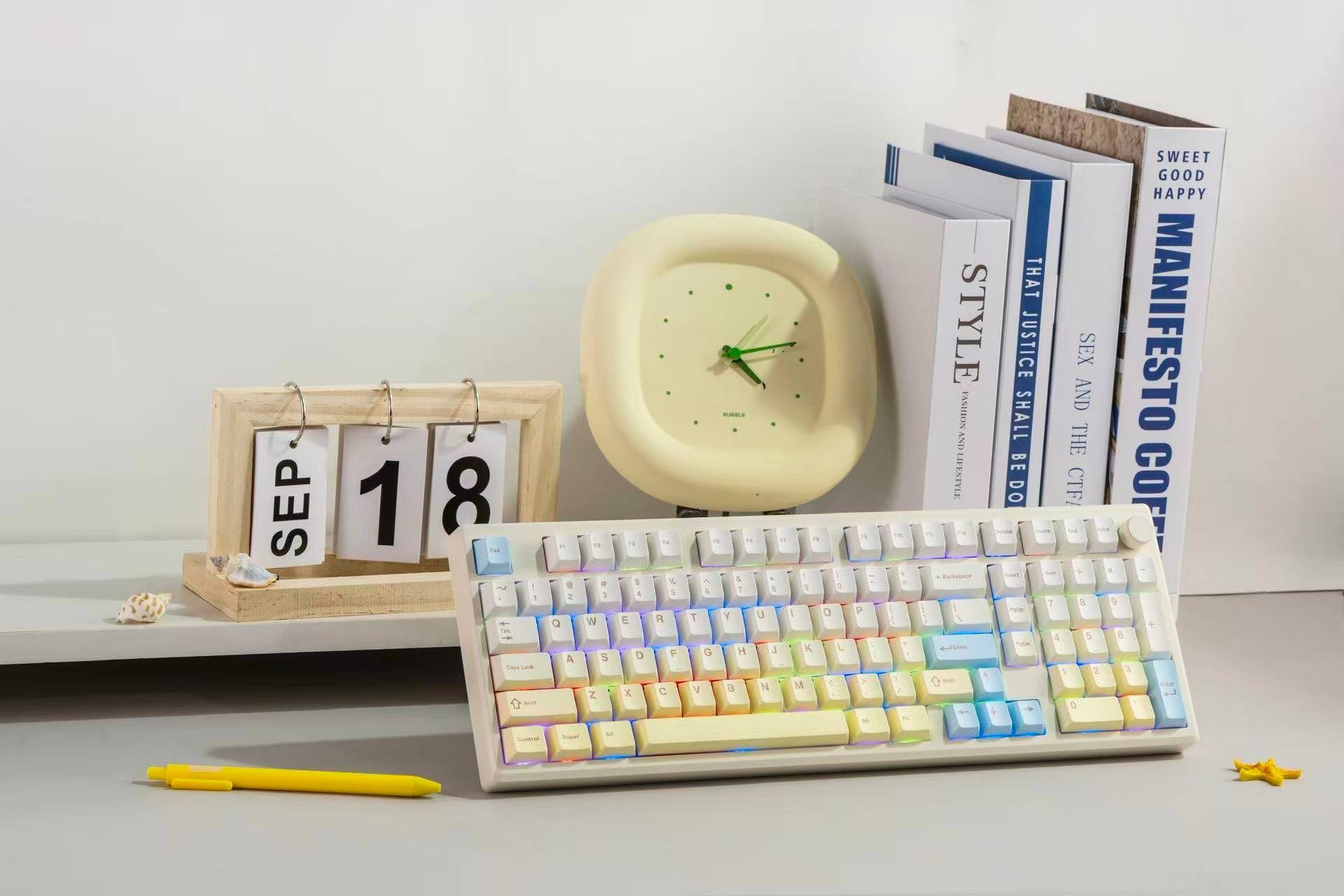
The EPOMAKER Galaxy100 Lite addresses this need with a 96% layout that retains a full set of essential keys, including a dedicated numpad, in a smaller footprint than a traditional full-size keyboard. Its arrangement leaves additional room for a mouse and other desk accessories while maintaining the functionality needed for everyday productivity.
Its solid aluminium alloy case gives the keyboard a substantial construction and a premium appearance. Buyers can choose between two colourways: Creamy White, featuring yellow gradient keycaps and light blue accents, or Black, with navy-to-grey gradient keycaps for a more understated look.
The Galaxy100 Lite is available with Feker Marble White or Wisteria Linear V2 switches. Both are linear options designed to deliver smooth keystrokes and a mellow typing sound. Its gasket-mounted structure, pre-lubed switches and multi-layer cushioning help create a softer typing feel while reducing unwanted resonance.
The keyboard is also hot-swappable, allowing users to change compatible switches without soldering and personalise their typing experience over time. Bluetooth, 2.4GHz wireless and USB-C wired connectivity support different devices and work arrangements, while its 8,000mAh battery is designed to provide extended use between charges. Customisable RGB backlighting offers another way to personalise the workspace.
Best suited to: Spreadsheet users, finance professionals and anyone who wants a dedicated number pad without committing to a traditional full-size keyboard.
3. EPOMAKER Luma100: For Professionals Who Work Across Multiple Locations
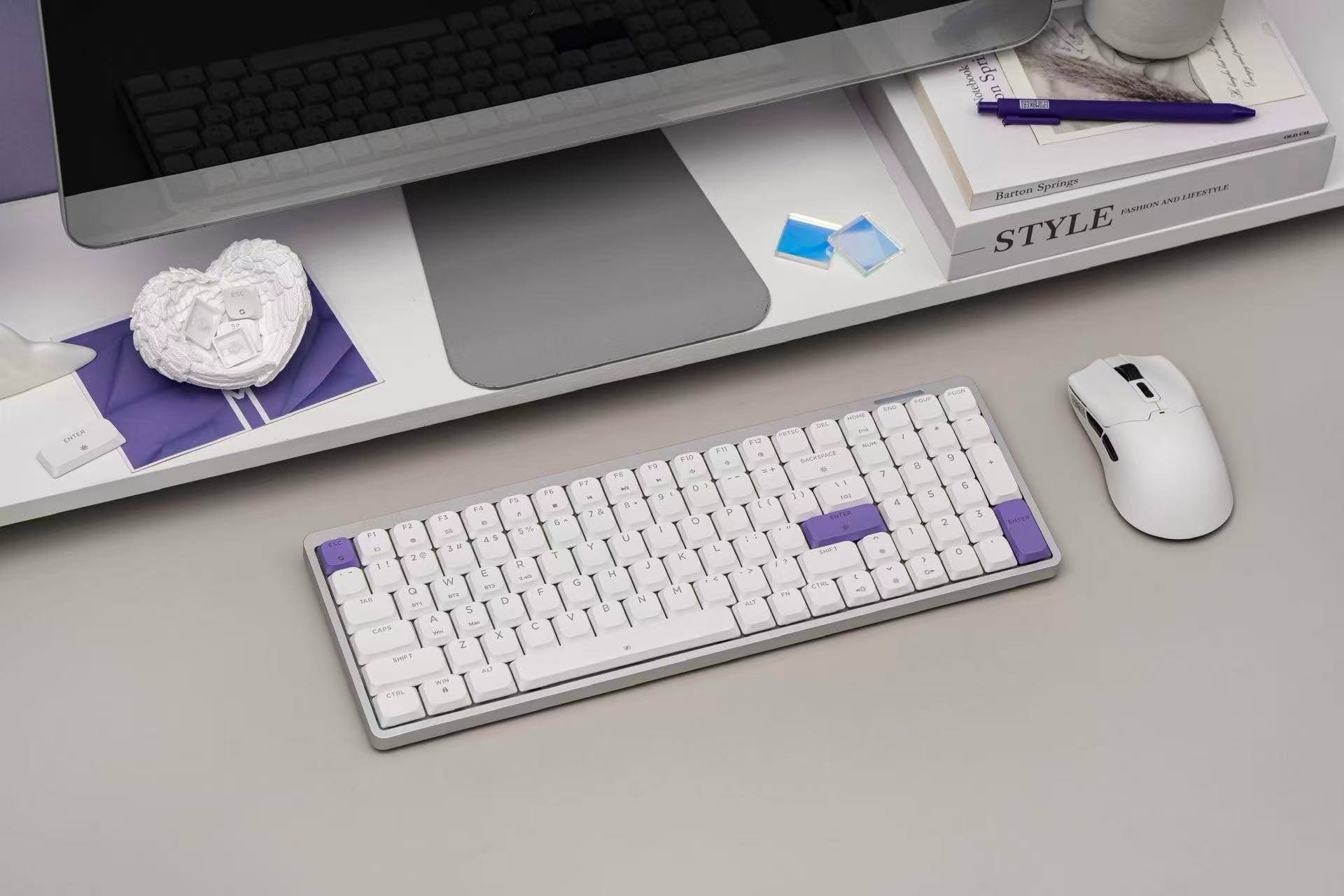
A full-featured mechanical keyboard can be useful in an office, but carrying a bulky model between home, work and temporary workspaces is not always convenient. The EPOMAKER Luma100 offers an alternative with its low-profile construction and slim design.
Its 100-key layout retains a dedicated number pad, making it suitable for numerical entry, spreadsheets and general office tasks. At the same time, its slimmer form makes it easier to carry than many conventional mechanical keyboards, which could appeal to professionals who travel regularly or divide their working hours between different locations.
The Luma100 features a sandblasted, anodised aluminium case that combines a sturdy build with a minimalist appearance. Its low-profile Mint switches have shorter key travel than conventional mechanical switches, offering a smooth typing experience with a creamy sound profile.
A gasket-mounted structure and five-layer sound-dampening system help soften keystrokes and reduce unwanted resonance. These features may appeal to people who spend long periods typing and prefer a less pronounced mechanical typing feel.
Connectivity is another consideration for mobile professionals. The Luma100 supports Bluetooth, 2.4GHz wireless and USB-C wired connections, making it adaptable to different desk arrangements. It is compatible with Windows and Mac and includes additional Mac modifier keycaps for convenient system switching.
Best suited to: Professionals who want a slim mechanical keyboard with a dedicated number pad for use across home, office and travel environments.
4. EPOMAKER TH80 V2: For a Compact Desk Without Losing Essential Keys
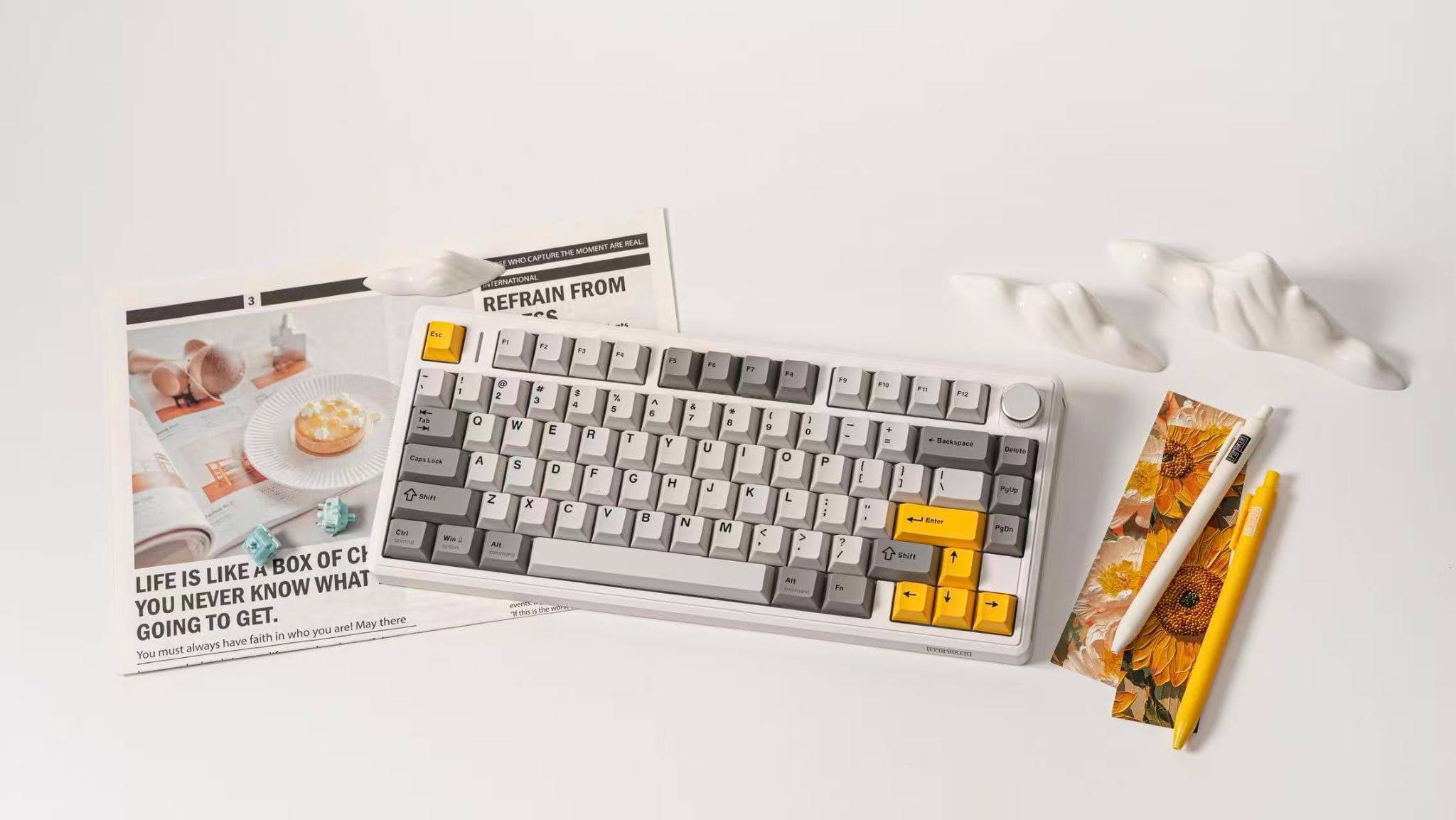
Some office workers prefer smaller keyboards because they leave more room for a mouse, notebooks and other desk essentials. However, going too small can mean sacrificing keys that are useful for everyday work.
The EPOMAKER TH80 V2 offers a middle ground with its 75% layout and 79 keys. It retains the function row and arrow keys while occupying less space than a full-size keyboard. A rotary knob provides additional convenience, making it a practical option for office work, content creation and gaming.
The keyboard combines a gasket-mounted structure with multiple sound-dampening layers to create a smooth typing feel and a satisfying, creamy sound. For shared offices or quieter working environments, buyers can opt for Sea Salt Silent switches, which provide a quieter typing alternative.
Customisation is another part of the TH80 V2's appeal. Its hot-swappable switches allow users to change compatible switches without soldering, while programmable keys provide additional flexibility for frequently used commands.
The keyboard supports Bluetooth, 2.4GHz wireless and USB-C wired connectivity. Its 8,000mAh battery is designed to support extended use between charges, and Windows and Mac compatibility makes it suitable for different computing environments.
Best suited to: Office workers who want a compact keyboard with dedicated function and arrow keys, alongside customisation options and flexible connectivity.
5. EPOMAKER TH26: For Faster Numerical Entry and Custom Shortcuts
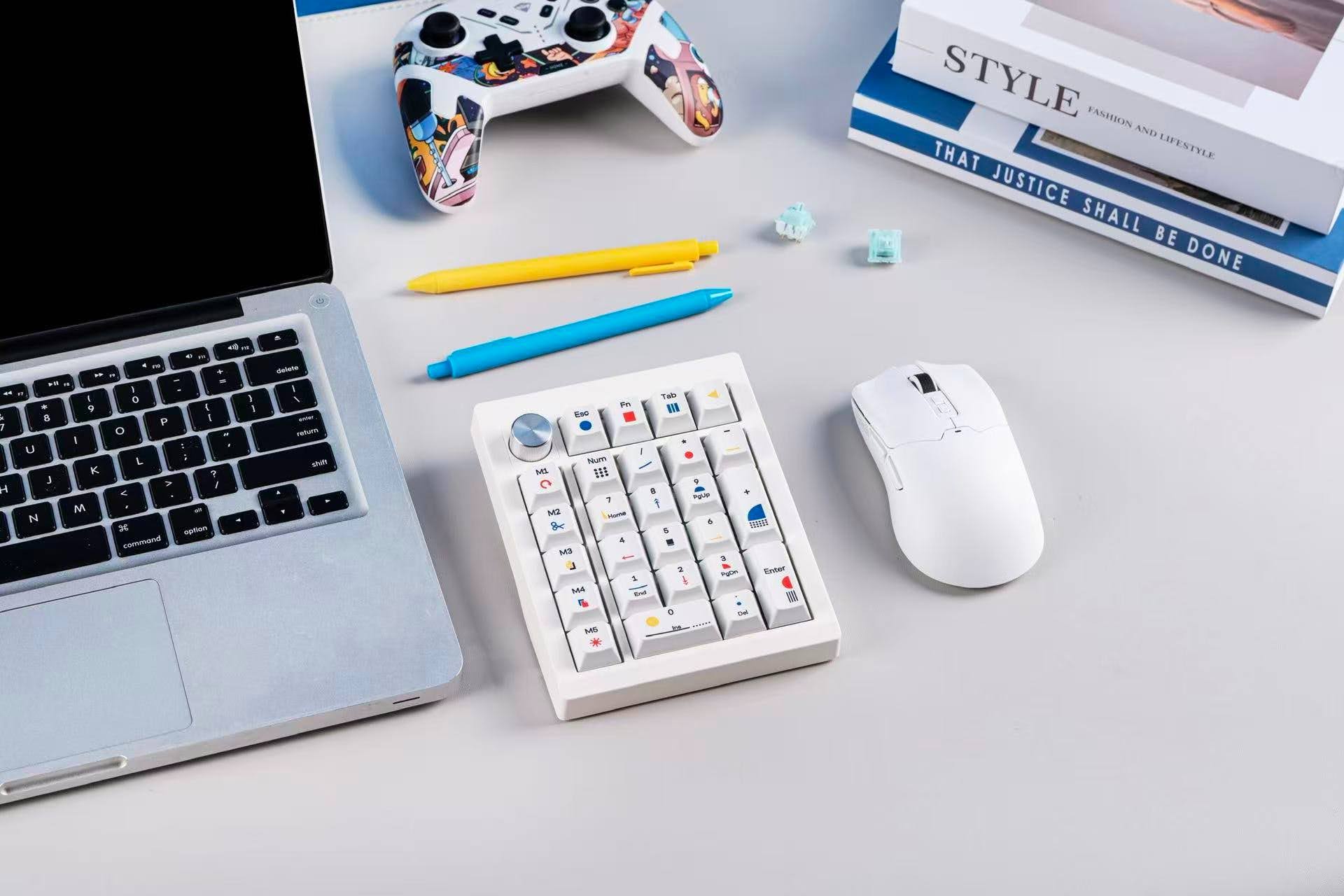
Not everyone needs to replace their existing keyboard to improve their workstation. Sometimes, adding a separate accessory can provide the missing functionality without requiring a complete desk upgrade.
The EPOMAKER TH26 is a compact mechanical numpad designed to complement an existing keyboard. In addition to dedicated number keys, it features five customisable macro keys that users can configure for frequently used shortcuts and commands.
This arrangement could be particularly useful for professionals who regularly work with spreadsheets, handle numerical data, edit content or perform repetitive computer tasks. Rather than relying exclusively on keyboard combinations, they can assign commonly used actions to dedicated keys.
Its standalone design also provides flexibility in positioning. Users can place the numpad wherever it feels most convenient, including on either side of their main keyboard. This makes it suitable for different desk arrangements and both left- and right-handed users.
The TH26 combines a multifunction rotary knob with a gasket-mounted structure and four-layer sound-dampening system. Paired with Creamy Jade switches, it delivers smooth keystrokes and a mellow, creamy typing sound.
Bluetooth, 2.4GHz wireless and USB-C wired connectivity allow it to fit into different workstation configurations. Its compact size also makes it a practical addition for people who want extra numerical functionality without taking up the space of another full-size keyboard.
Best suited to: Spreadsheet users and professionals who want a dedicated number pad and programmable shortcuts alongside their existing keyboard.
6. EPOMAKER NEX Lite: For a More Organised and Customisable Desk
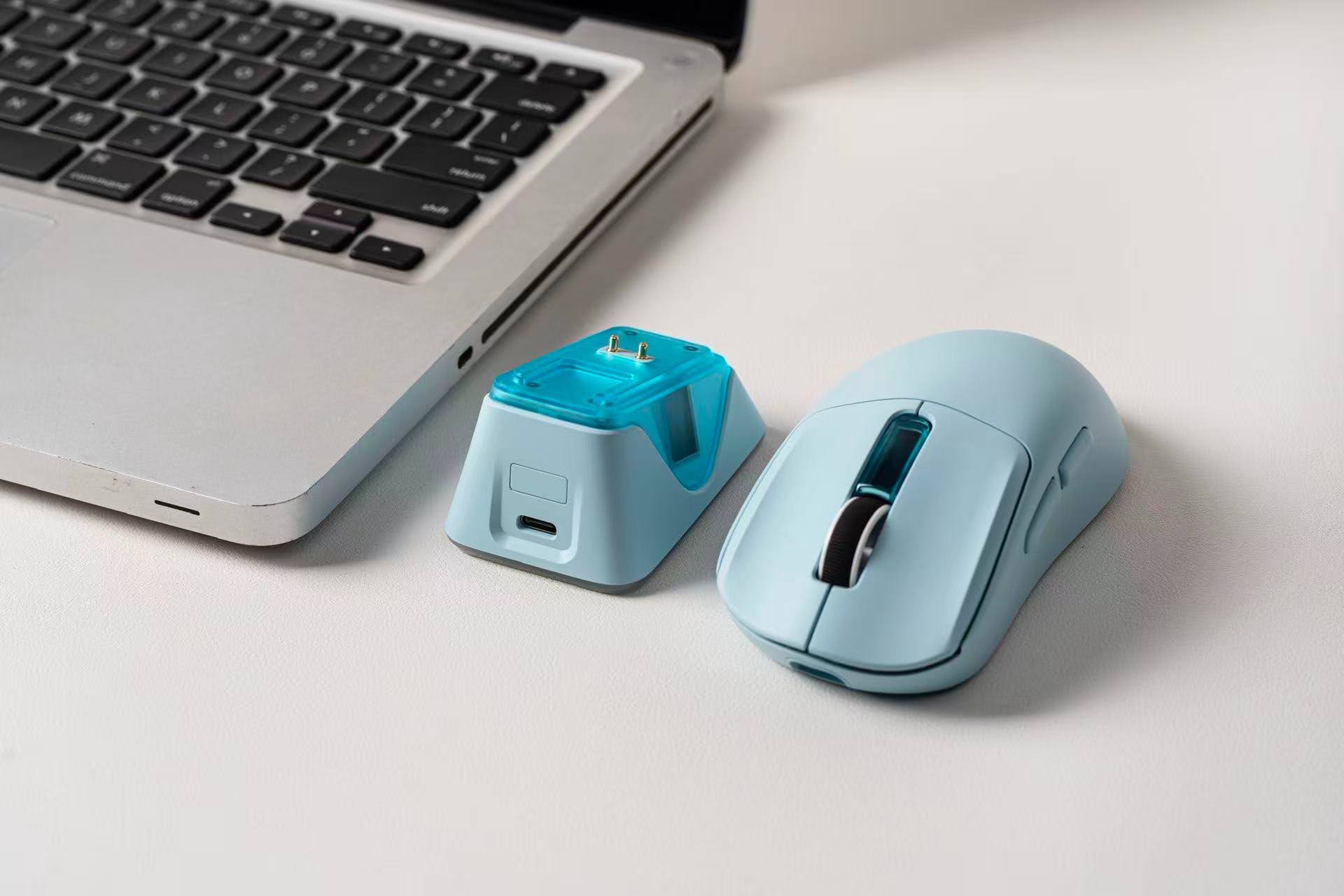
A productive workstation needs more than a good keyboard. The mouse also plays an important role, particularly for professionals who spend much of their day navigating documents, managing applications and switching between tasks.
The EPOMAKER NEX Lite is a wireless mouse designed for modern office setups. Available in four colour options, it offers some flexibility for users who want their peripherals to complement their desk aesthetic. Weighing 65g, it features a lightweight, right-handed ergonomic shape designed for medium-to-large hands.
One of its defining features is its dedicated charging dock, which doubles as a resting place and charging station. The dock also includes customisable RGB lighting that can be cycled through different effects or switched off entirely.
Both the mouse and its dock feature OLED screens displaying information such as battery level, DPI settings, and connection mode. This allows users to check important settings at a glance rather than navigating through software or menus.
For everyday convenience, the NEX Lite supports Bluetooth, 2.4GHz wireless and USB-C wired connectivity. Its five programmable buttons can be customised for frequently used functions and shortcuts, while onboard memory retains personal settings across devices.
The combination of a lightweight design, programmable controls, and a dedicated charging dock makes it a practical option for users who want a mouse that adds functionality as well as visual appeal to their workspace.
Best suited to: Professionals looking for a lightweight wireless mouse with programmable buttons, convenient charging and customisable desktop styling.
Shop the EPOMAKER Split70 on Amazon: Check out the keyboard and explore its available purchasing options on Amazon.
How to Choose the Right Office Keyboard and Mouse
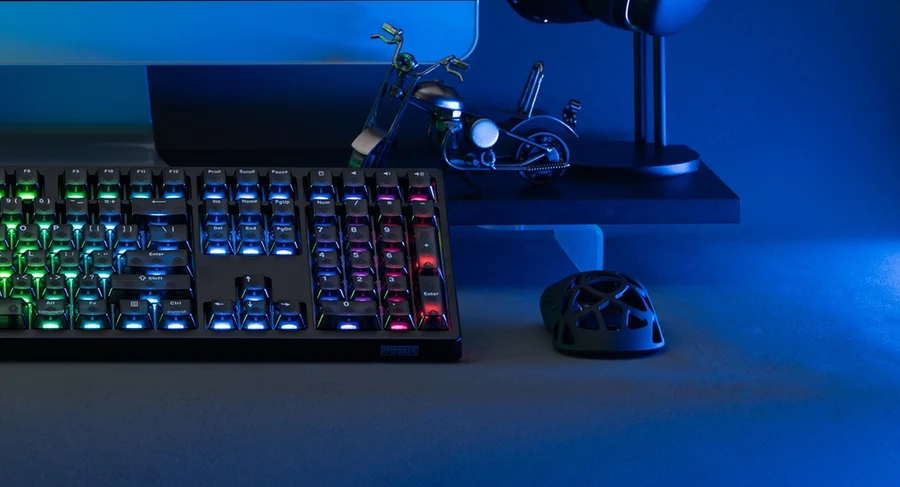
The best office peripherals depend on the type of work you do, how much desk space you have and the features you value most. Before making a purchase, consider the following factors.
Keyboard layout: Full-size and 96% keyboards are useful for people who frequently enter numerical data. Compact 75% and 70% layouts leave more room for mouse movement, while split designs offer greater flexibility in positioning the two halves.
Typing comfort: Switch type, key travel, keyboard height and overall construction can influence how a keyboard feels during extended use. Low-profile switches may appeal to people who prefer shorter key travel, while gasket-mounted designs and sound-dampening layers can provide a softer typing experience.
Connectivity: Bluetooth, 2.4GHz wireless and USB-C wired connections offer different ways to connect peripherals to computers and other compatible devices. Consider whether you need to switch between devices or prefer a wired connection for a fixed workstation.
Customisation: Programmable keys, macros, hot-swappable switches and rotary knobs can make everyday tasks more convenient. These features are particularly useful for professionals who repeatedly perform the same commands or want to personalise their setup.
Mouse design: Consider the mouse's weight, shape, button arrangement and connectivity. A lightweight model may be easier to move around, while programmable buttons can simplify frequently used actions. Check the manufacturer's compatibility and ergonomic information before choosing a design.
Ultimately, a more expensive or feature-rich peripheral is not automatically the best choice. The right combination is the one that supports your daily tasks without introducing unnecessary complexity.
EPOMAKER Double 11 Sale: Explore Keyboard and Mouse Deals
For shoppers planning to upgrade their office setup, EPOMAKER's Double 11 campaign offers an opportunity to explore discounts across its range of keyboards, mice and other peripherals.
Running from October 26 to November 15, 2026, the campaign includes a pre-sale period from October 26 to October 29, followed by the main sale period from October 31 to November 15.
During the promotion, newly launched products will be available with special introductory discounts, while shoppers can access sitewide discounts of at least 15% across the EPOMAKER store. Additional website promotions will include spend-and-save offers, giveaways and a Lucky Spin event, providing further opportunities to access deals and rewards.
Whether you're considering a more ergonomic keyboard, a compact mechanical model, a dedicated numpad or a wireless mouse, the campaign could be a convenient time to compare available options.
Visit the official EPOMAKER website to explore the Double 11 offers and check the terms of individual promotions before purchasing.
About Epomaker
Founded in 2019, Epomaker is a global mechanical keyboard brand dedicated to making high-quality, feature-rich keyboards accessible to enthusiasts worldwide. Short for 'Epoch of Makers', it champions customisation, creativity, and performance, blending advanced features with everyday reliability.
Backed by a community-driven approach, Epomaker continuously refines its products through user feedback, delivering innovative, competitively priced keyboards built for work, play, and creation.
© Copyright IBTimes 2026. All rights reserved.