

EPOMAKER Split70 Review: Great Switches, Smart Features and Some Awkward Shortcuts
With hot-swappable switches, tri-mode connectivity, and programmable controls, this 70% split keyboard offers an accessible introduction to ergonomic typing, although its layout takes some adjustment
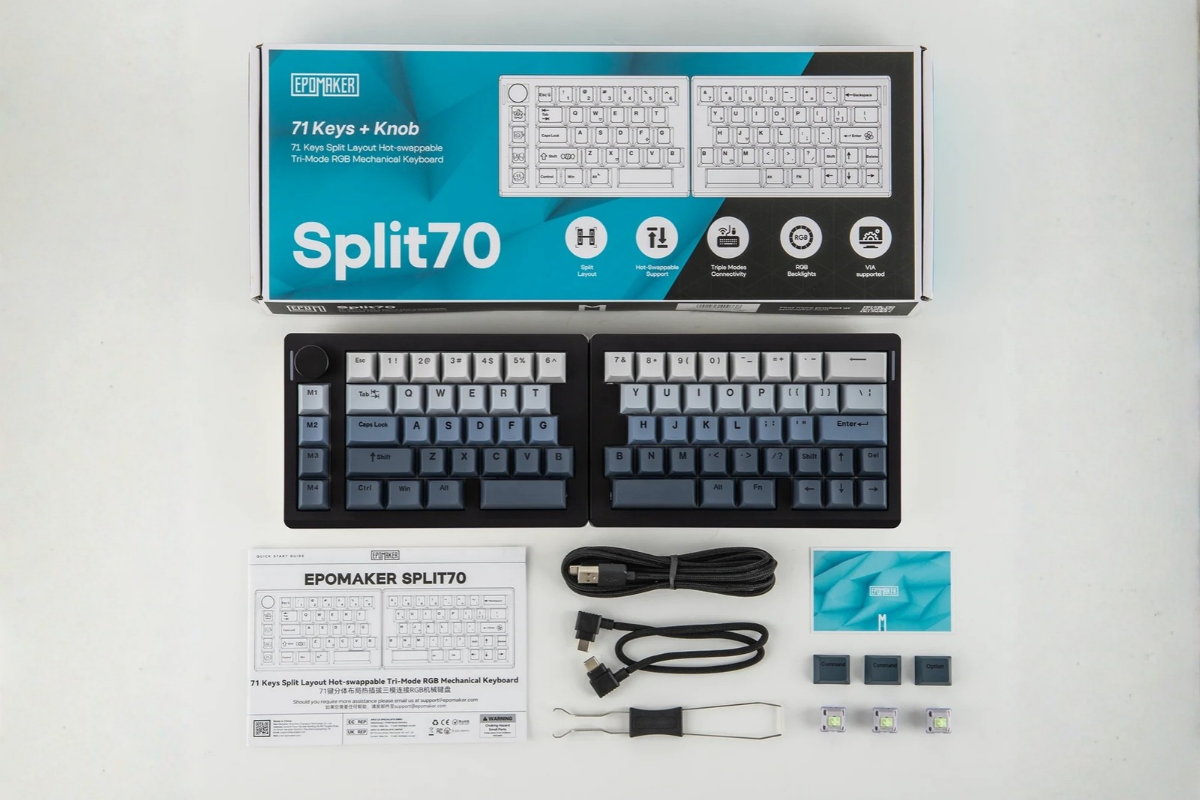
Mechanical keyboards come in all shapes and sizes, but most follow the same basic layout. The EPOMAKER Split70 takes a different approach, separating its left and right keyboard sections to give users more flexibility in how they position their hands while typing.
The idea is straightforward: instead of keeping both hands close together over a conventional keyboard, users can position the two halves farther apart to suit their preferred working posture. For people who spend hours typing reports, coding or handling office tasks, that flexibility may be appealing.
Priced at around $116, the EPOMAKER Split70 combines its split layout with hot-swappable mechanical switches, wireless connectivity, programmable macro keys and a dedicated control knob. It also supports VIA-based customisation, allowing users to adjust key assignments to suit their workflow.
However, an unconventional layout inevitably involves compromises. Some familiar shortcuts become less convenient, the keyboard lacks adjustable feet, and its battery requires more frequent charging when the RGB lighting is enabled.
So, does the Split70 offer enough to justify its place on your desk?
1. Design and Build Quality — 5/5
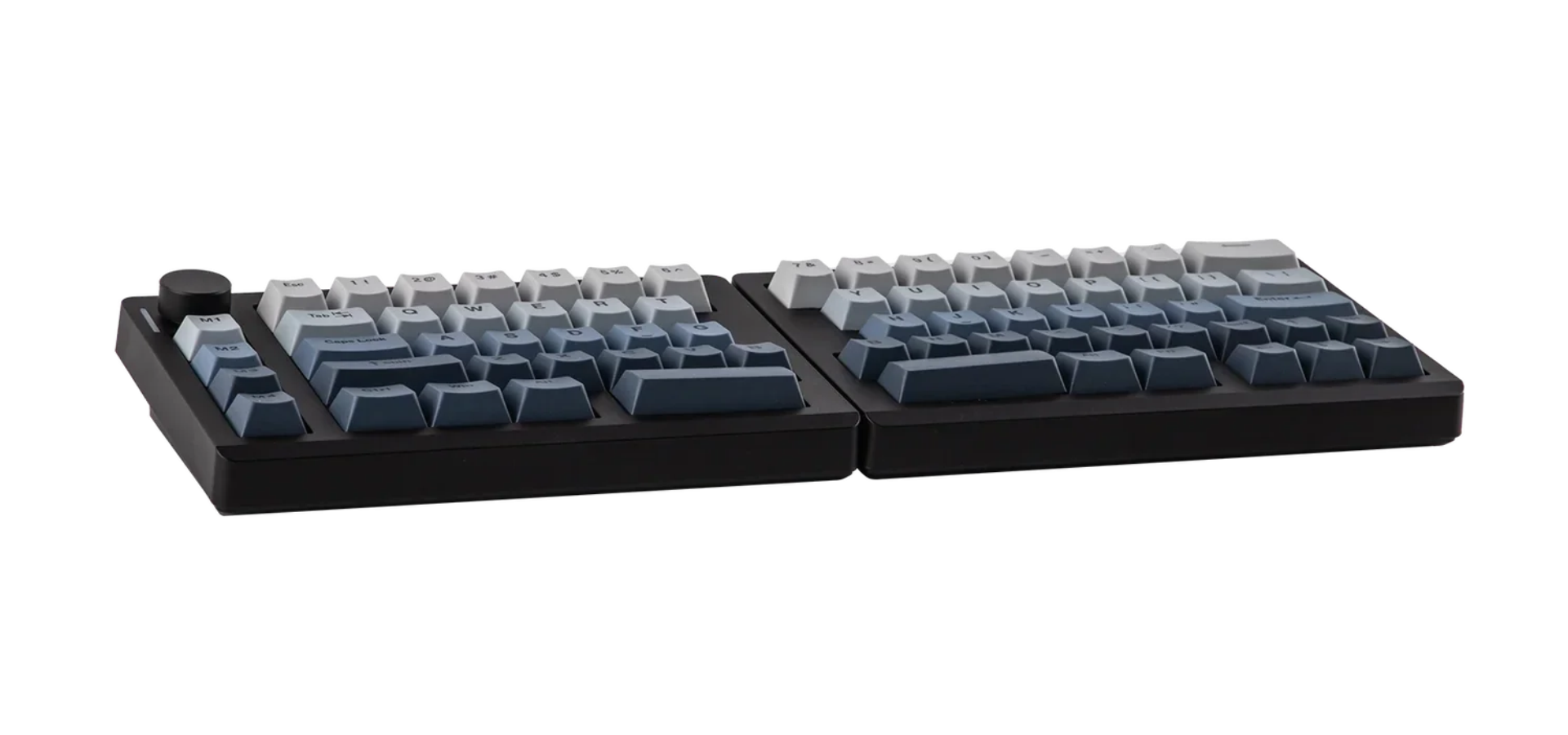
The EPOMAKER Split70 makes a strong first impression. Its compact 70% layout gives it a distinctive appearance, while the separated keyboard halves provide more flexibility than a conventional one-piece board.
The halves can be connected with the supplied cable or used separately, allowing users to experiment with the distance between them. This is the keyboard's defining design feature, and it gives the Split70 a practical advantage for anyone interested in trying a different typing position without moving to a much more expensive ergonomic keyboard.
The construction is primarily plastic, but that does not automatically make it feel cheap. The case feels solid, and the keyboard does not rely on elaborate materials or decorative features to make its design work. Its understated construction suits a desk setup where practicality matters more than premium finishes.
EPOMAKER also includes a rotary knob and four macro keys arranged in a column on the left. These controls give the keyboard a distinctive layout while adding functionality without requiring a larger footprint.
There are, however, a couple of missed opportunities. The Split70 has no fold-out feet, so users cannot adjust its typing angle through built-in kickstands. Additional support that allowed the halves to be raised or tented would also have given users more flexibility when experimenting with ergonomic positioning.
Even with those omissions, the overall design works well. The split arrangement is the main attraction, and the solid construction makes the keyboard feel more substantial than its straightforward plastic exterior might suggest.
2. Functionality and Customisation — 4/5
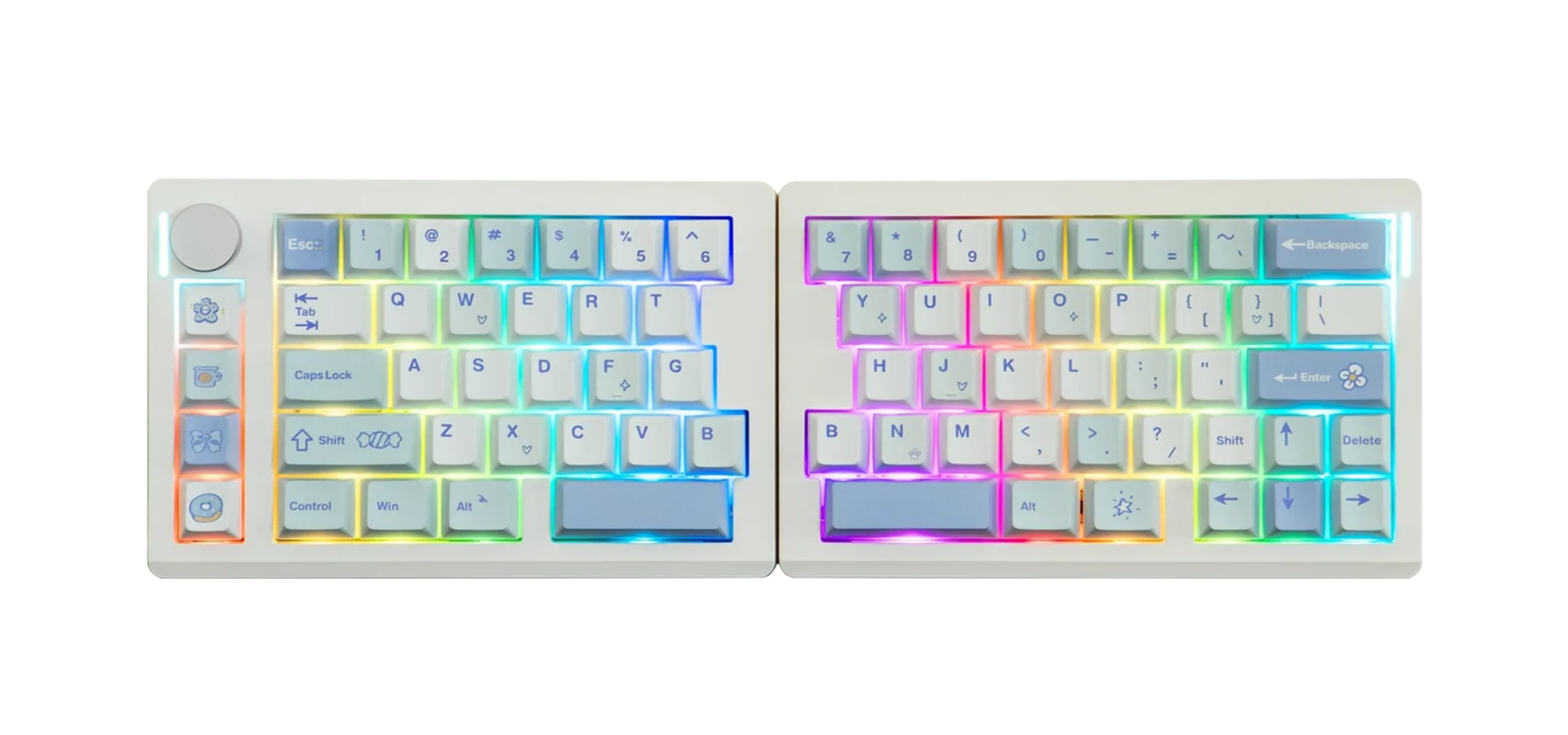
The Split70 is more than a conventional mechanical keyboard cut into two sections. It combines the split layout with several useful controls and customisation options that make it suitable for everyday productivity.
Its 70% layout has 71 keys and a rotary knob, alongside four dedicated macro keys. The knob handles volume and media control, while the macro column provides additional programmable inputs for frequently used actions.
These features are particularly useful for people who like tailoring their keyboards to their working habits. For example, users could configure the additional keys for recurring commands or application-specific shortcuts rather than relying entirely on standard key combinations.
The keyboard also features hot-swappable switches. This means compatible mechanical switches can be replaced without soldering, giving users the option to experiment with different typing characteristics or replace an individual switch if necessary.
VIA support adds another layer of flexibility. Users can remap keys and customise their layout, although getting everything configured may require some initial reading. The process involves loading EPOMAKER's supplied JSON configuration into the VIA web application rather than simply connecting the keyboard and immediately accessing every customisation option.
That learning curve matters because the split layout already asks users to rethink familiar habits. The macro keys and remapping options help, but they do not eliminate every inconvenience.
The Split70 offers a useful collection of features for its price, particularly the macro keys, knob and hot-swappable switches. However, its unconventional arrangement makes it less immediately intuitive than a standard 70% keyboard.
3. Typing Performance and Connectivity — 4/5
A keyboard can have an interesting design and still disappoint if the typing experience is poor. Fortunately, the Split70 performs well in this department.
The Wisteria Linear Switch V2 switches are a particular highlight. Their smooth linear action makes typing feel consistent, and they offer an enjoyable experience for everyday writing and office work.
The keyboard also uses a five-layer sound-dampening structure intended to reduce unwanted noise and produce a cleaner typing sound. Combined with its gasket-mounted construction, this helps give the Split70 a more considered typing experience than a basic mechanical keyboard.
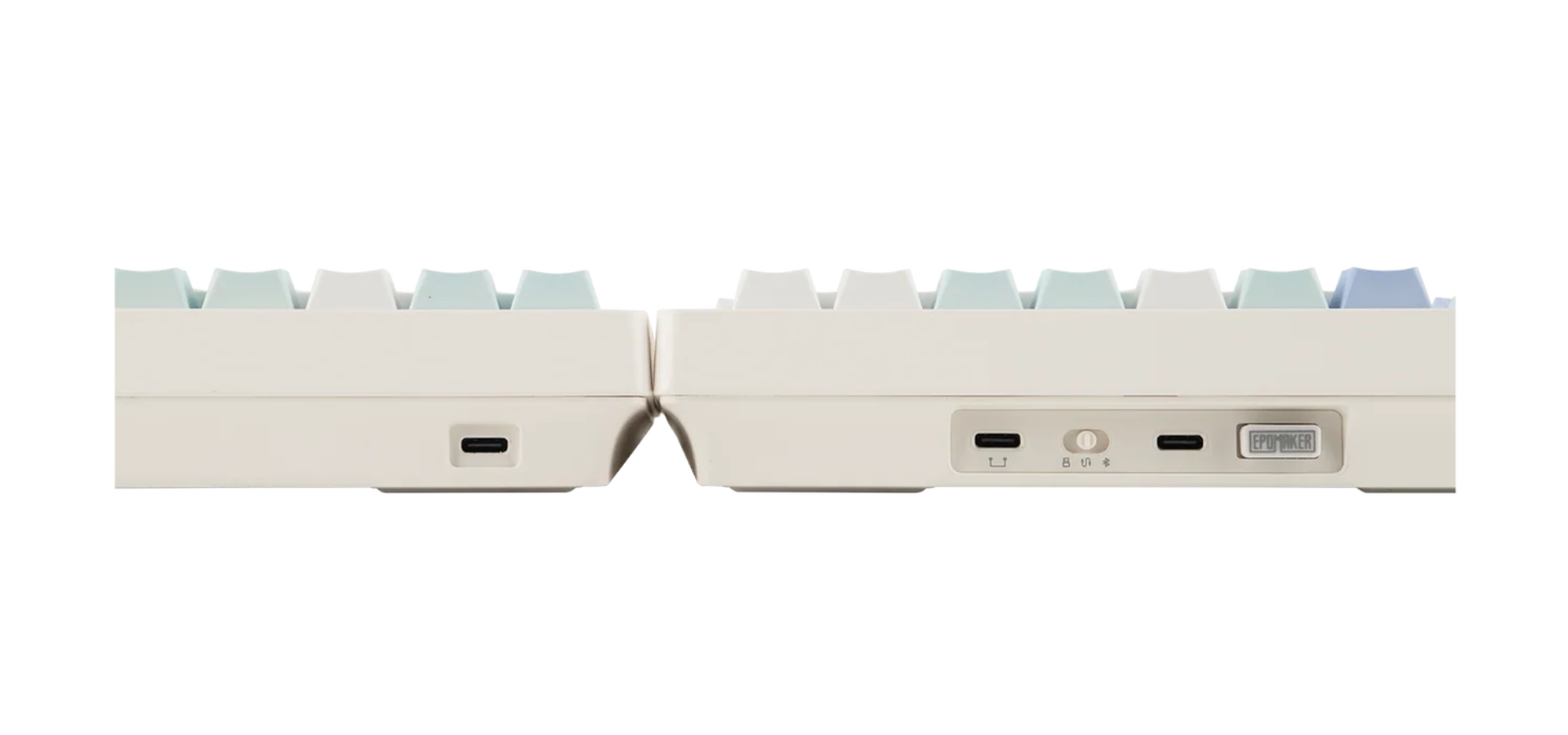
Connectivity is another strength. The keyboard supports three connection methods: USB-C wired, 2.4GHz wireless, and Bluetooth. Bluetooth can pair with up to three devices, making it possible to switch between compatible computers or other devices without repeatedly pairing from scratch.
For users who move between a work computer and a personal device, that flexibility is welcome. The 2.4GHz connection also provides a wireless option for people who prefer a more responsive connection than Bluetooth typically offers.
EPOMAKER lists a 1,000Hz polling rate for wired and 2.4GHz connections. Bluetooth operates at a lower polling rate, so users should choose their connection method according to their priorities.
The main performance limitation is battery life. The Split70 has a 3,000mAh battery, but RGB lighting can drain it considerably faster than using the keyboard with the lights switched off. EPOMAKER advertises up to 11 hours with the backlight on and up to 260 hours with it off, although actual endurance will depend on usage and lighting settings.
That makes the lighting a feature worth managing rather than leaving on continuously if you want to minimise charging interruptions.
There is also a more practical issue for some Windows users: the layout lacks a dedicated right Ctrl key. Anyone who regularly uses that key for shortcuts may find the omission frustrating, particularly if they rely on established keyboard combinations throughout the day.
Despite these limitations, the Split70 delivers a satisfying typing experience and a useful selection of connection options.
4. Reliability and Durability — 4/5
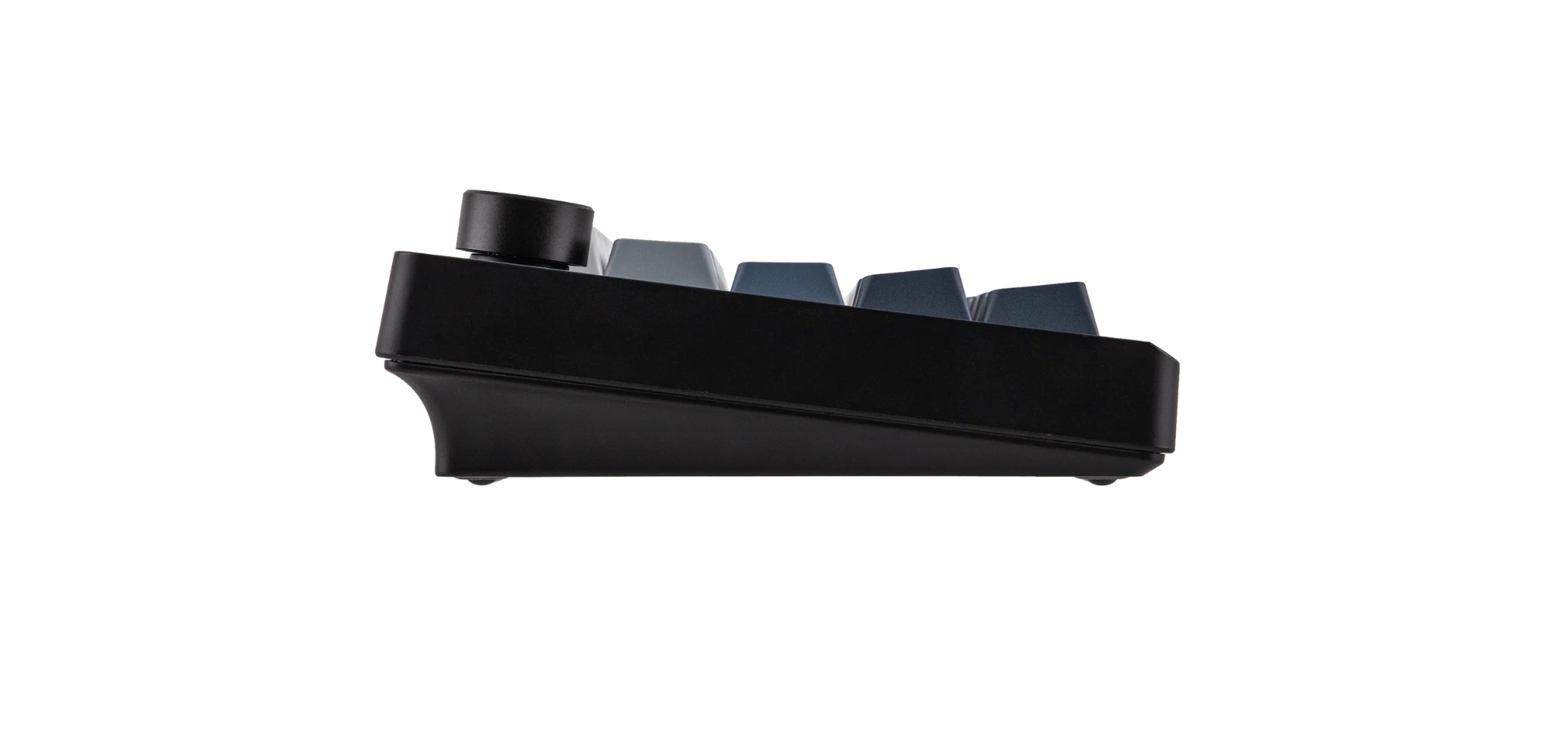
The Split70's plastic construction is straightforward, but the keyboard feels sturdy enough for regular desk use. Its appeal lies in a practical design rather than premium materials, and the overall build does not feel flimsy.
The hot-swappable PCB is also beneficial from a maintenance perspective. Because compatible switches can be replaced without soldering, users have an option for dealing with a faulty switch or changing the typing feel later.
That does not mean every component is guaranteed to last indefinitely, and long-term durability cannot be established from construction alone. Nevertheless, the combination of a solid-feeling case and replaceable switches provides a reasonable foundation for everyday use.
The absence of adjustable feet is less a durability concern than a design limitation. It restricts how users can position the keyboard, particularly if they want to experiment with tenting or a raised typing angle.
For a keyboard in this price bracket, the construction is reassuringly practical. It may not offer the premium feel of more expensive models, but it does not need to.
5. User Experience — 4/5
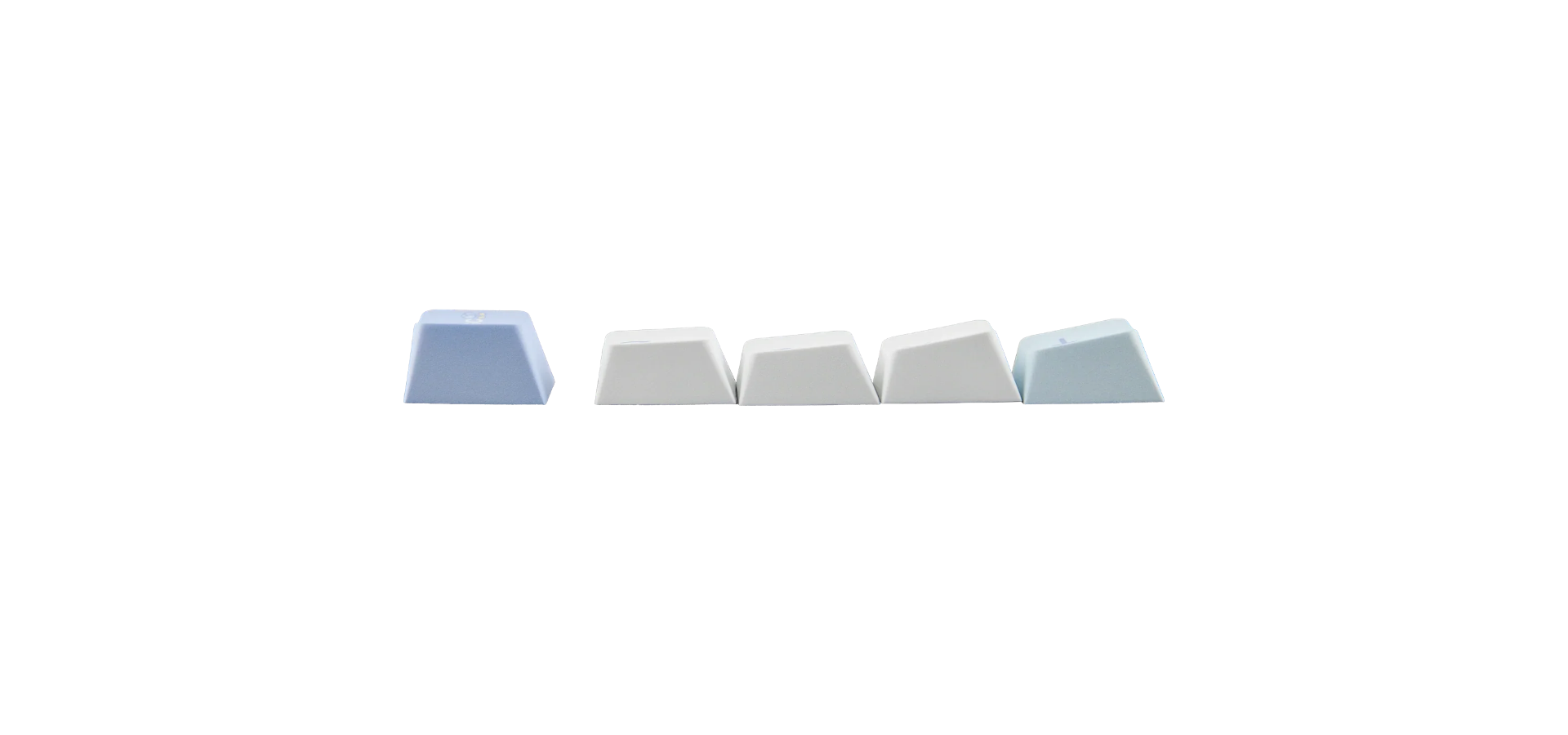
The Split70's user experience depends largely on how willing you are to adapt to a split keyboard.
Once users become accustomed to the arrangement, typing feels relatively intuitive. Separating the two halves allows each hand to sit farther apart, which may help some people find a more comfortable position during extended sessions.
That flexibility is the central appeal of the design. Rather than forcing users into the spacing of a conventional keyboard, the Split70 lets them experiment with the distance between the halves and find a position that suits their desk and preferences.
The rotary knob and programmable macro keys also improve day-to-day convenience. Volume adjustments are easy to make, while remapped keys can reduce the need to reach for certain commands repeatedly.
However, the adjustment period should not be underestimated. Moving to a split layout changes the muscle memory developed around a traditional keyboard. Some shortcuts become awkward, and the lack of a dedicated right Ctrl key may be particularly inconvenient for people who use keyboard combinations extensively.
Setup also involves a little more work than simply plugging in a standard keyboard. Users who want to remap keys through VIA need to load the appropriate configuration file, while switching between Mac and Windows layouts requires the relevant keyboard shortcut or mode change.
The good news is that the keyboard supports both operating systems. The mode switch changes the keycodes sent by the keyboard rather than changing how the device identifies itself to the computer.
Overall, the Split70 offers a positive experience once configured, but it is not the kind of keyboard every user will find immediately comfortable.
6. Value for Money — 4.5/5
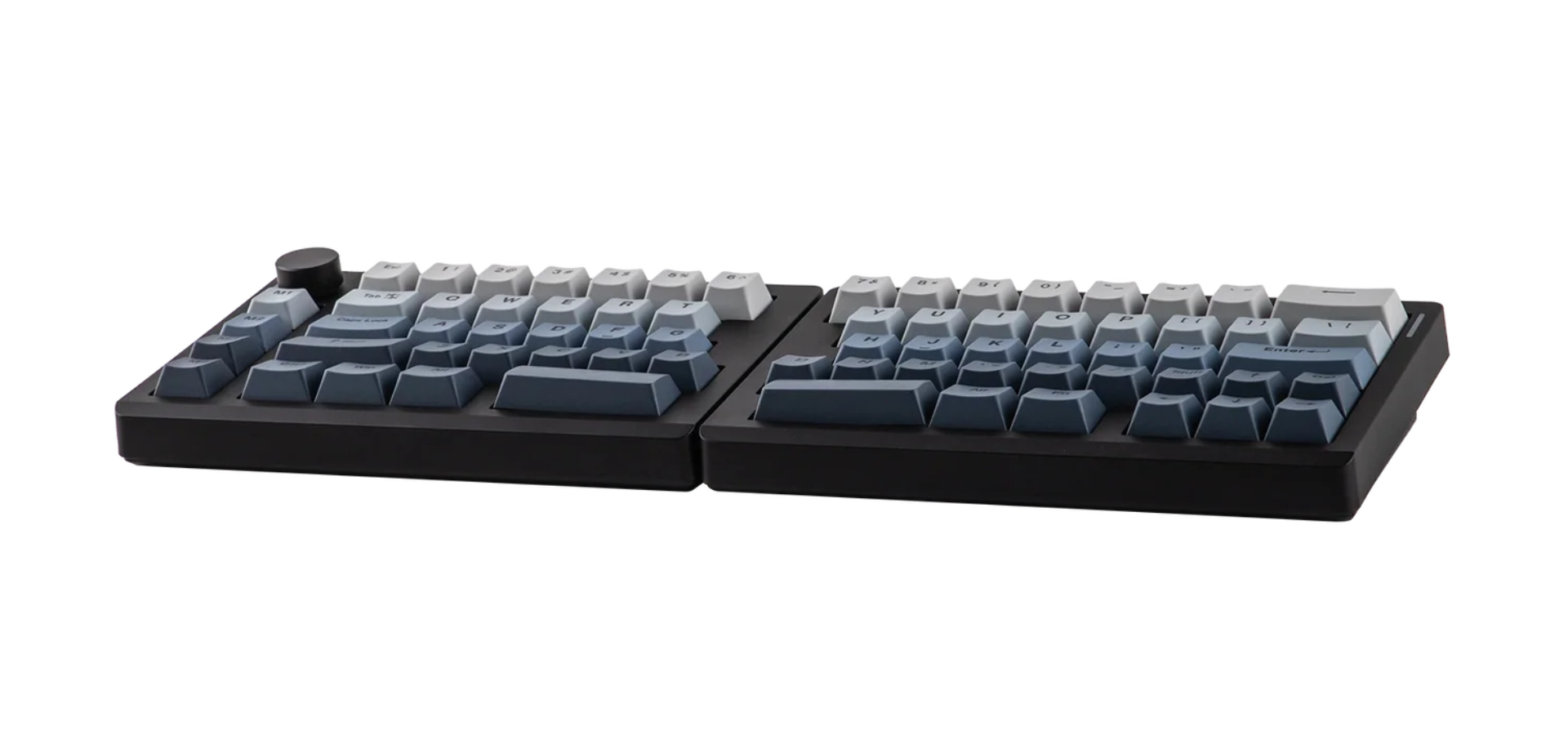
At approximately $116, the EPOMAKER Split70 occupies an interesting position in the mechanical keyboard market.
Split keyboards appeal to a narrower audience than conventional mechanical models, and some alternatives aimed at ergonomic enthusiasts can be considerably more expensive. The Split70 offers an accessible way to explore this type of layout without committing to a premium ergonomic keyboard.
The package is also reasonably well equipped. Buyers get three connection options, hot-swappable switches, a rotary knob, programmable macro keys and VIA-based customisation. Those features give the keyboard flexibility beyond its unusual physical arrangement.
Its value becomes particularly apparent if you want to experiment with split typing while retaining familiar mechanical keyboard features. The Wisteria Linear Switch V2 switches are enjoyable, and the ability to replace compatible switches provides room for future customisation.
However, the value proposition changes if you do not specifically want a split layout. A conventional 70% keyboard may offer more familiar key placement, fewer compromises and similar connectivity or customisation features for comparable money.
The Split70 is therefore easiest to recommend to people who are actively interested in ergonomic keyboard layouts. For everyone else, its distinctive design may not justify the adjustments required.
EPOMAKER lists the keyboard at $115.99, with a one-year warranty and a 30-day return policy for eligible purchases under its stated conditions. Prices and promotions may change.
Product page: EPOMAKER Split70
7. Compatibility and Integration — 4/5
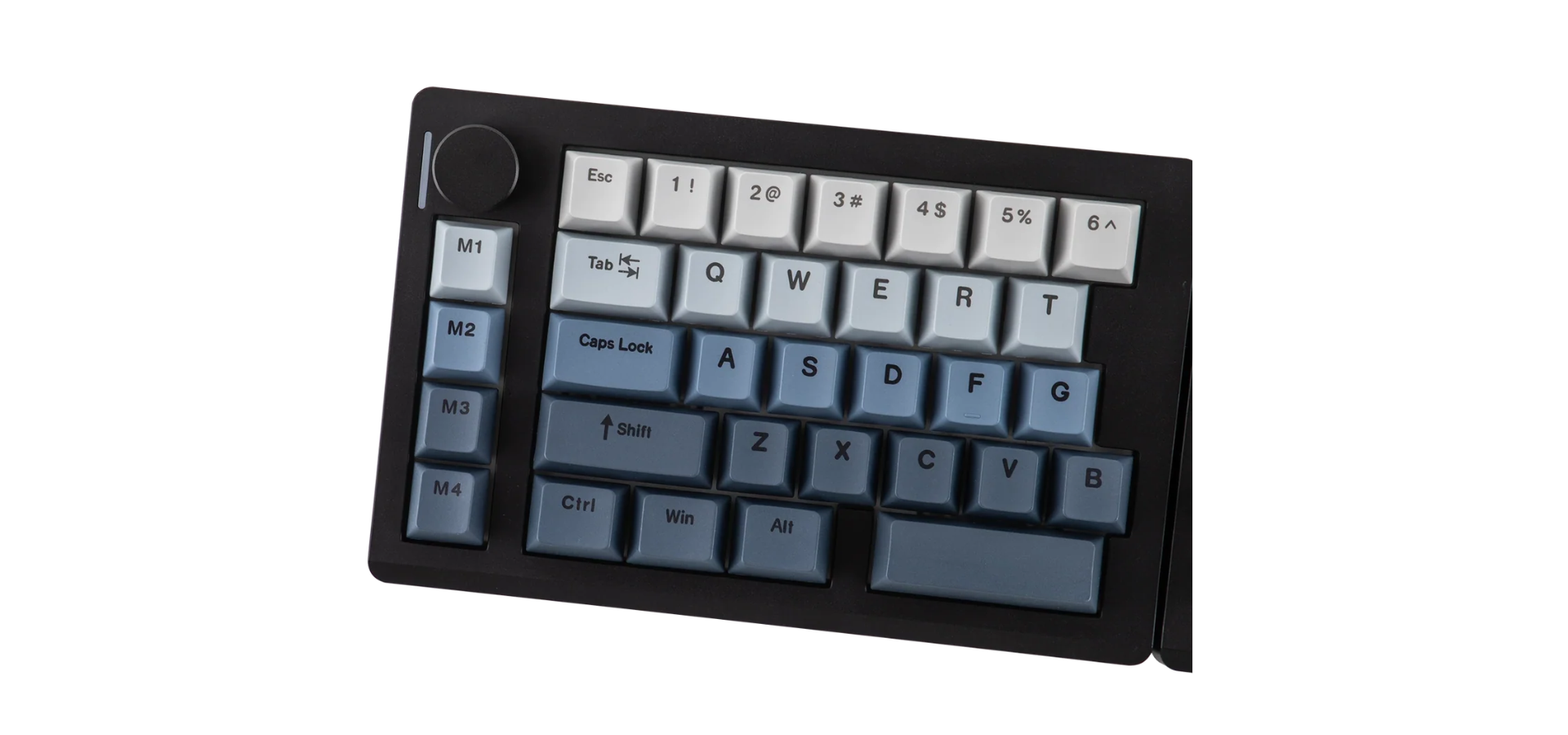
The Split70 supports Windows, macOS and Android, giving it a reasonably broad range of potential uses.
Its Bluetooth connectivity is particularly useful for people who switch between multiple devices, while wired and 2.4GHz options provide alternatives for desktop setups.
Mac and Windows users can switch between the relevant keyboard modes, allowing the board to send the appropriate keycodes for each operating system. However, this does not change the physical key arrangement, so users should still expect to adjust to the split layout and its missing right Ctrl key.
Customisation is handled through EPOMAKER's supplied QMK-based firmware configuration and VIA compatibility. It is worth noting that this should not be confused with unrestricted support for the open-source QMK firmware ecosystem. Users interested in deeper firmware modification should check the specific support available for this model rather than assuming every QMK feature is accessible.
There are no major compatibility problems identified in the supplied evaluation, although the initial configuration process may be less straightforward for people unfamiliar with keyboard remapping.
For everyday typing across Windows and Mac devices, the Split70 offers the core compatibility most users are likely to need.
Pros and Cons
What We Like
- Split ergonomic design: The separate halves give users more flexibility in positioning their hands.
- Solid construction: The plastic case feels sturdy despite its straightforward materials.
- Enjoyable switches: The Wisteria Linear Switch V2 switches provide a smooth typing experience.
- Useful controls: The rotary knob and four macro keys add practical functionality.
- Three connection options: Wired, 2.4GHz wireless and Bluetooth provide flexibility.
- Hot-swappable switches: Compatible switches can be replaced without soldering.
- VIA customisation: Key remapping allows users to tailor the keyboard to their workflow.
- Accessible price: The price makes it a relatively approachable entry into split keyboards.
What Could Be Better
- Missing right Ctrl key: This can disrupt familiar shortcuts, particularly for Windows users.
- No adjustable feet: Users cannot raise or tent the keyboard using built-in supports.
- Battery life with RGB enabled: The advertised 11-hour maximum with backlighting is considerably shorter than the lighting-off figure.
- A learning curve: The split arrangement takes time to master.
- Setup requires some reading: VIA customisation and operating-system switching are not entirely self-explanatory.
- Limited premium materials: The plastic construction is practical but does not feel especially luxurious.
Who Should Buy the EPOMAKER Split70?
The Split70 makes the most sense for office workers, writers, programmers and other frequent typists who want to explore a split keyboard without spending substantially more on a specialised ergonomic model.
It is particularly appealing to people who value customisation. The macro keys, rotary knob, hot-swappable switches and VIA support give users several ways to tailor the board to their working habits.
It may also suit people who find the spacing of a conventional keyboard uncomfortable and want to experiment with positioning their hands farther apart. However, comfort is subjective, and a split design alone cannot guarantee relief from discomfort. Users experiencing persistent pain should consider their overall workstation setup and seek appropriate professional advice.
The Split70 is less suitable for people who rely heavily on conventional shortcuts, need a dedicated right Ctrl key or want a keyboard that feels familiar immediately. Gamers and productivity users who depend on established key combinations should also consider whether the layout fits their specific requirements.
If you simply want a compact mechanical keyboard and have no particular interest in a split arrangement, a conventional 70% model may be the more straightforward choice.
Final Verdict: A Good Entry Point Into Split Keyboards
The EPOMAKER Split70 gets the fundamentals right. It combines a distinctive split design with a solid-feeling build, enjoyable linear switches, three connection modes and a useful set of customisation features.
Its strongest selling point is accessibility. At around $116, it offers an opportunity to try split typing without moving straight into the more expensive end of the ergonomic keyboard market.
However, the design is not without compromises. The missing right Ctrl key can frustrate shortcut-heavy users, the absence of adjustable feet limits positioning options, and RGB lighting significantly reduces the advertised battery endurance. New users should also expect an adjustment period before the layout feels natural.
These limitations do not undermine the keyboard's central proposition, but they make it a more specialised purchase than a conventional mechanical keyboard.
Overall rating: 4/5
The EPOMAKER Split70 is a good-looking, well-built and reasonably priced introduction to split mechanical keyboards. Its typing feel, connectivity and customisation options make it an appealing choice for curious typists and office users, provided they are prepared to adapt to its layout.
Adding adjustable feet or a tenting option, improving the convenience of key placement and extending battery life with RGB enabled would make a future version considerably more compelling.
For now, the Split70 is best viewed as an accessible entry into ergonomic keyboard design rather than a universal replacement for a standard mechanical keyboard.
Price and availability: The EPOMAKER Split70 is listed at $115.99 through the official EPOMAKER store. Prices and availability may vary during promotional periods.
EPOMAKER Double 11 Sale: Save on Keyboards and Accessories
EPOMAKER's Double 11 sale runs from October 26 to November 15, 2026, with the main sale period beginning on October 31. The campaign includes sitewide discounts of at least 15% across the EPOMAKER store, while newly launched products will be available with special introductory discounts.
Shoppers can also look out for additional offers on the official website, including spend-and-save deals and giveaways offering further opportunities to receive promotional rewards.
Whether you're considering the Split70 or exploring other mechanical keyboards, the campaign could be a useful opportunity to compare available offers before making a purchase. Specific discounts and eligibility may vary by product and promotion.
Visit the official EPOMAKER website or the Double 11 sale landing page for current offers and campaign details.
About Epomaker
Founded in 2019, Epomaker is a global mechanical keyboard brand dedicated to making high-quality, feature-rich keyboards accessible to enthusiasts worldwide. Short for 'Epoch of Makers', it champions customisation, creativity, and performance, blending advanced features with everyday reliability.
Backed by a community-driven approach, Epomaker continuously refines its products through user feedback, delivering innovative, competitively priced keyboards built for work, play, and creation.
© Copyright IBTimes 2026. All rights reserved.