

1Password Lets Claude AI Log In to Your Accounts Without Ever Seeing Your Password
New AI integration allows secure website logins without exposing passwords

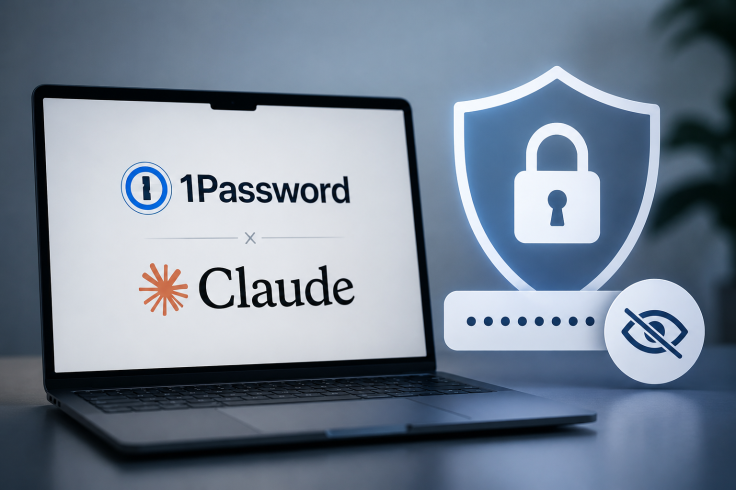
Tech users on Mac can now let AI handle website logins without exposing their passwords, thanks to a new partnership between 1Password and Anthropic.
The new feature is designed to automate complex online tasks while tackling one of the biggest concerns surrounding AI assistants: how to give them access to websites without handing over sensitive login details.
1Password Brings Secure Claude Logins
A new integration from 1Password launched for Mac users on 16 July, allowing Anthropic's Claude AI assistant to complete web login tasks while keeping passwords and two-factor authentication codes hidden from the model.
With 1Password for Claude, users can authorise the AI to carry out web-based tasks that would normally require a login, from managing travel bookings to updating online accounts and completing other routine digital chores.
The company said approved login details are sent through a secure pathway directly into website forms rather than passing through Claude itself. As a result, passwords, security codes and other sensitive information never enter the AI's active context, memory or Anthropic's servers.
According to 1Password, this approach allows Claude to complete tasks that require authentication without ever gaining visibility of the credentials being used.
Passwords Stay Hidden
Rather than giving the AI unrestricted access to an entire password vault, Claude requests only the credentials needed for a specific task. Users must approve each request using Face ID or a fingerprint scan, and that temporary access disappears as soon as the session ends.
AI agents are booking travel, signing into websites, and acting on your behalf. That creates a new security problem: until now, letting an agent log in meant exposing your credentials to the model.
— 1Password (@1Password) July 16, 2026
Today, with @AnthropicAI, we're changing that. 1Password for @claudeai lets… pic.twitter.com/rPHvBQiSFT
This means the AI can complete a job without retaining long-term access to login details or other information stored inside a user's vault.
The system can also move between multiple websites during a single task, allowing Claude to complete more complex workflows without repeatedly asking for separate login approval at every stage.
Agentic Mode Locks Down Your Vault
The update also introduces Agentic Mode, a security feature that limits what an AI assistant can access while controlling your browser. When enabled, the extension locks the rest of the 1Password vault so only the approved login credentials are available for that specific task.
A visible indicator shows when Agentic Mode is active, giving users the option to disable it immediately if needed. If a login attempt fails before Claude resumes control, any credentials entered into the webpage are automatically cleared, adding another layer of protection.
Available Now for Mac Users
The Claude integration is available immediately for Mac users on individual, family and business plans. To use it, customers need both the 1Password and Claude desktop apps installed, along with the browser extensions for each service.
Support for payment cards and personal identity information will arrive in a future update. The launch marks the first public release of a feature first previewed in March, when 1Password announced plans to give AI assistants permission-based access to password vaults.
More AI Integrations Ahead
The release turns that concept into a live macOS feature and lays the groundwork for future integrations with other AI assistants capable of navigating the web on a user's behalf.
It also arrives as Apple quietly rolls out basic AI-powered password reset tools in iOS 27 and macOS 27, highlighting the wider push to bring AI deeper into password management and online security. Users wanting a closer look at how the new system works can read a detailed explanation from Mitchell Cohen and Horia Culea on the official 1Password blog.
© Copyright IBTimes 2026. All rights reserved.