

Apple iOS 26.2 Hits iPhones — Users Report the Changes They Feel Immediately
Notably, the update includes advanced AI capabilities (for iPhone 15 Pro and later)

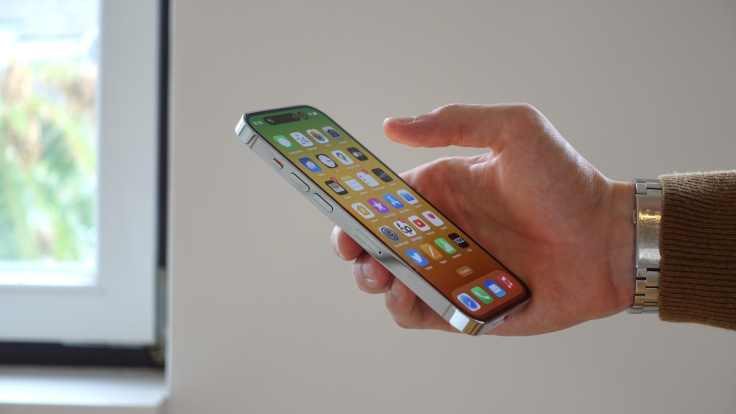
The latest Apple software, iOS 26.2, has officially arrived on iPhones, and the effects are already being felt. While major updates often take time to appreciate fully, users are quickly noting the immediate differences and performance shifts.
After releasing numerous beta versions, Apple has now rolled out iOS 26.2 to iPhone users, offering a broad selection of new capabilities and enhancements to existing features.
Interface Refinements
The Liquid Glass aesthetic was first introduced with iOS 26, and this new version appears to refine further the display for users who prefer a less 'glassy' look on their iPhones.
Ios 26.1. Ios 26.2 pic.twitter.com/3Ve10p1Qm2
— vishal (@rz1v3ely_16) December 14, 2025
Moreover, Apple has incorporated all previously available functions only in beta versions for everyone, with comprehensive details in the iOS 26.2 release notes, to ensure a reliable experience.
How to Get the Update and Which iPhones Are Supported
iOS 26.2 is available as an over-the-air update, making it easy to download on any eligible iPhone.
Here is the straightforward method for installing it:
- Open Settings.
- Select General.
- Tap on Software Update.
- Wait for the system to check for the new iOS 26.2 software.
- Approve the process with your passcode.
- The iPhone will then restart to complete the installation of iOS 26.2.
The iOS 26.2 update can be installed on the iPhone 11 and all subsequent models. However, it is important to note that advanced Apple AI capabilities will only work on the iPhone 15 Pro and newer devices.
New Capabilities in iOS 26.2
The size of Apple's new iOS 26.2 software is approximately 470 MB for those who have been using the public test versions over the past few years.
Should I upgrade to iOS 26.2? pic.twitter.com/se4mY1SQC8
— Kumar Shubham (@its_ShubhamK) December 13, 2025
The complete list of additions, taken directly from the release notes, is provided below:
Apple Music
The 'Favourite Songs' compilation now appears within the 'Top Picks' section on the main home screen.
You can access the lyrics for downloaded music even when you do not have an active internet connection.
Podcasts
Automatically generated chapters make it easier to navigate episodes.
Links to referenced programmes will let you immediately view and subscribe to those shows straight from the playback screen and the episode's text transcript.
Games
In the Games collection, filters have been added to help you quickly locate titles by category, file size, and other criteria.
Challenge score banners that appear during gameplay will now give you instant alerts whenever a new person takes the highest ranking.
The system now provides enhanced compatibility with external controllers, such as the Backbone and Razer devices.
Further System Improvements and Fixes
Beyond the updates to Music, Podcasts, and Games, the following extra improvements have been incorporated into the system:
Customisation and Safety
A new option for customising the Lock Screen time lets you precisely adjust its appearance, giving the Liquid Glass texture more or less transparency.
Better Safety Notifications (currently available in the US) can notify you of impending dangers such as floods, severe weather events, and other crises, providing detailed information, including a map of affected areas and links to additional safety advice.
Utilities and Accessibility
Reminder Alerts help you stay on top of important tasks and support Snooze and Live Activities if you are unable to mark the item as complete right away.
AirDrop verification codes add an extra measure of security when sharing with people not in your contacts; the recipient's device displays a code that the sender must input to finalise the transfer.
iOS 26.2 is now available with these new features 🚨 pic.twitter.com/5ko9IYDBNa
— Apple Hub (@theapplehub) December 12, 2025
The Apple News section links at the top of the 'Today' stream provide straightforward access to widely followed subjects such as Sport, Government, Finance, and Cooking.
The Multipack accessory setup in the Home application lets you use a single configuration code to easily register multiple accessories when they are sold together as a group.
The Flash for alerts setting in Accessibility now includes a choice to have the device screen illuminate when a notification is received.
Tables in Freeform can contain different types of content, including text, images, files, and sketches, with individual cells automatically resizing to fit the content, creating structure within the endless drawing space.
Bug Fixes
Addresses a problem where albums marked as pre-release in your Apple Music library could not be played immediately upon their official launch time.
Corrects an issue where a specific Privacy and Security setting may have been incorrectly labelled as being administered by a corporate organisation.
Instant Upgrades: What's Next?
The immediate wave of user feedback confirms that iOS 26.2 is more than just a minor incremental update. By introducing these small but impactful changes—from refined visuals to crucial safety and utility enhancements—Apple has delivered a substantial software release that users are already feeling.
Whether you appreciate the less-glassy look or rely on the new safety notifications, this update ensures a smoother and more robust iPhone experience for eligible users.
© Copyright IBTimes 2026. All rights reserved.