

WAVLINK WL-UTD58-M Review: Is This Thunderbolt 5 Dock Worth It?
With versatile connectivity, fast data transfer, and integrated SSD expansion, this dock aims to simplify demanding workstation setups
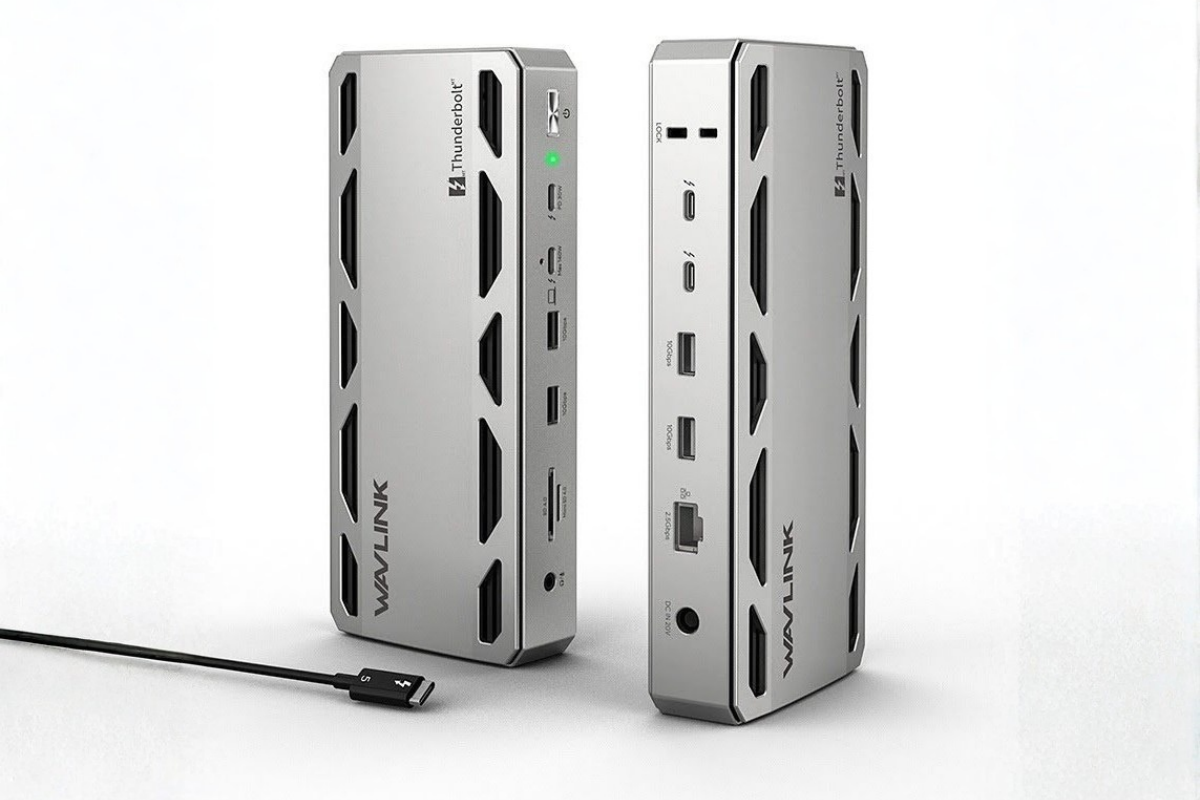
Managing multiple peripherals through a laptop's limited ports can quickly become frustrating. Connecting external monitors, storage devices, keyboards, and other accessories often means juggling adapters and cables, making an otherwise organised workspace feel cluttered.
The WAVLINK WL-UTD58-M Thunderbolt 5 docking station aims to address this problem by bringing multiple connectivity options together in one device. Its combination of Thunderbolt 5 connectivity, external display support, laptop charging, and an integrated M.2 SSD slot makes it an option worth considering for professionals and other users with demanding workstation setups.
But does it offer enough convenience and performance to justify the investment?
This review examines the dock's design, functionality, performance, compatibility, and value, highlighting both its strengths and the areas where it could be improved.
Design and Build Quality: 4/5
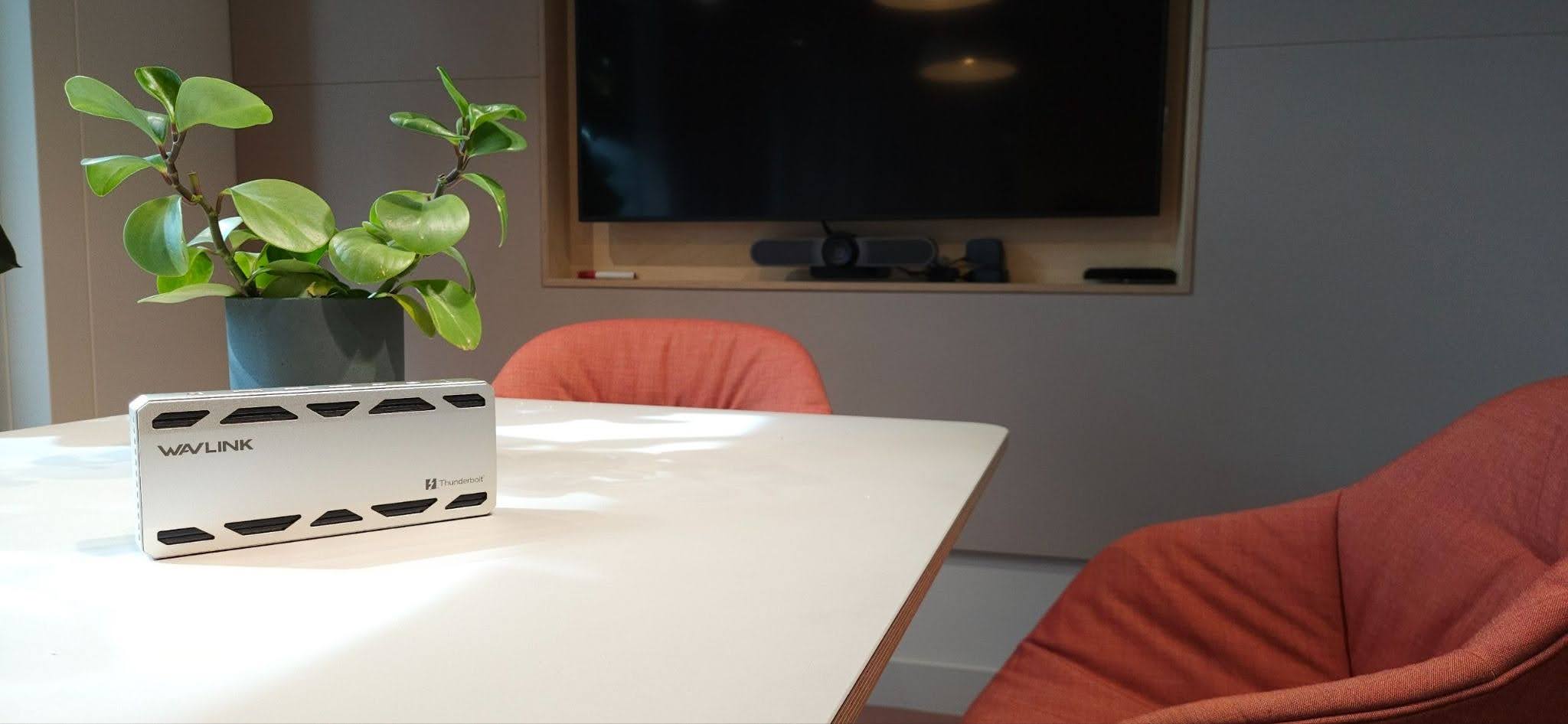
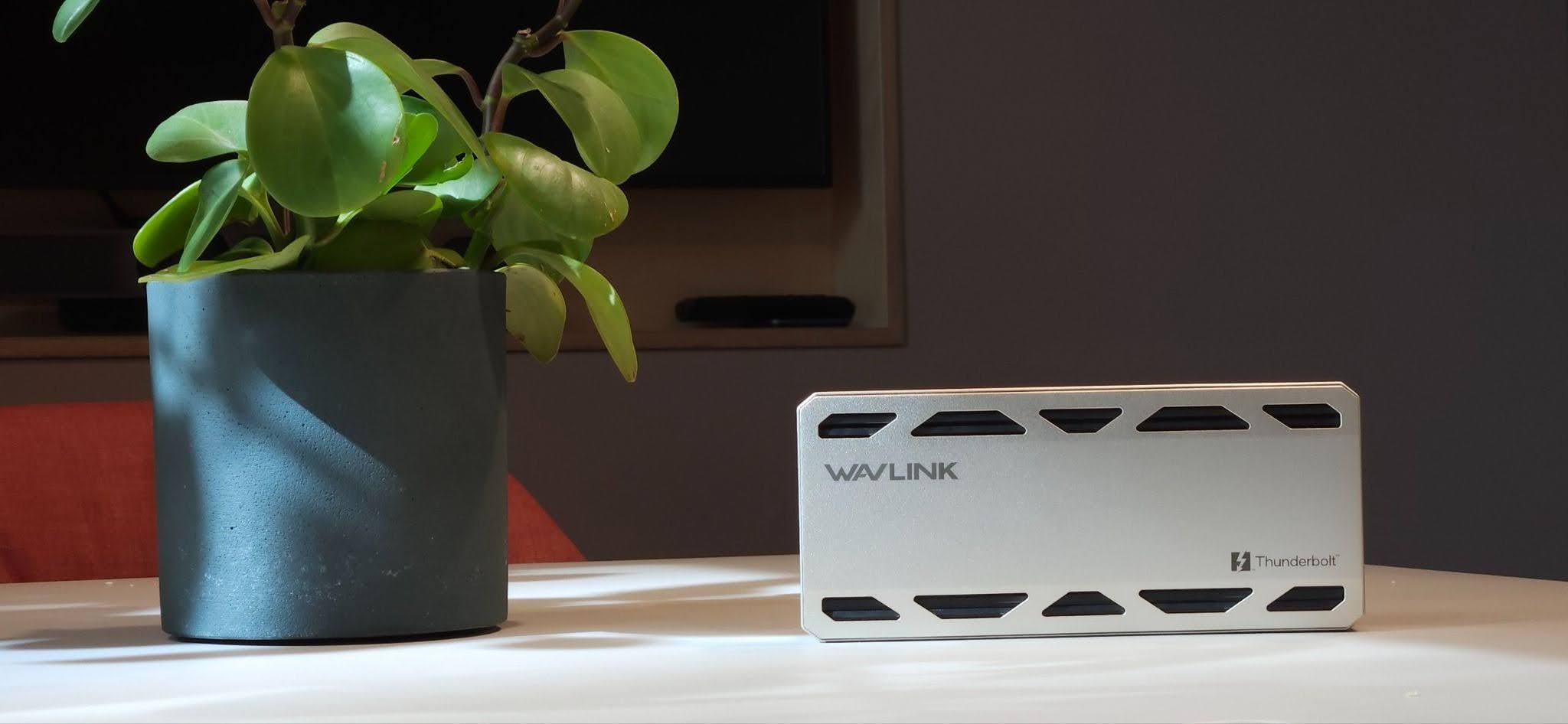
The WAVLINK WL-UTD58-M has a clean, modern appearance that prioritises functionality over flashy styling. Its aluminium alloy chassis gives it a solid, premium feel, making it a natural fit for a professional workstation.
The overall construction appears suited to regular everyday use. However, a sturdy exterior should not be mistaken for guaranteed long-term durability, particularly without extended testing. As with other electronic accessories, avoiding drops and rough handling is advisable.
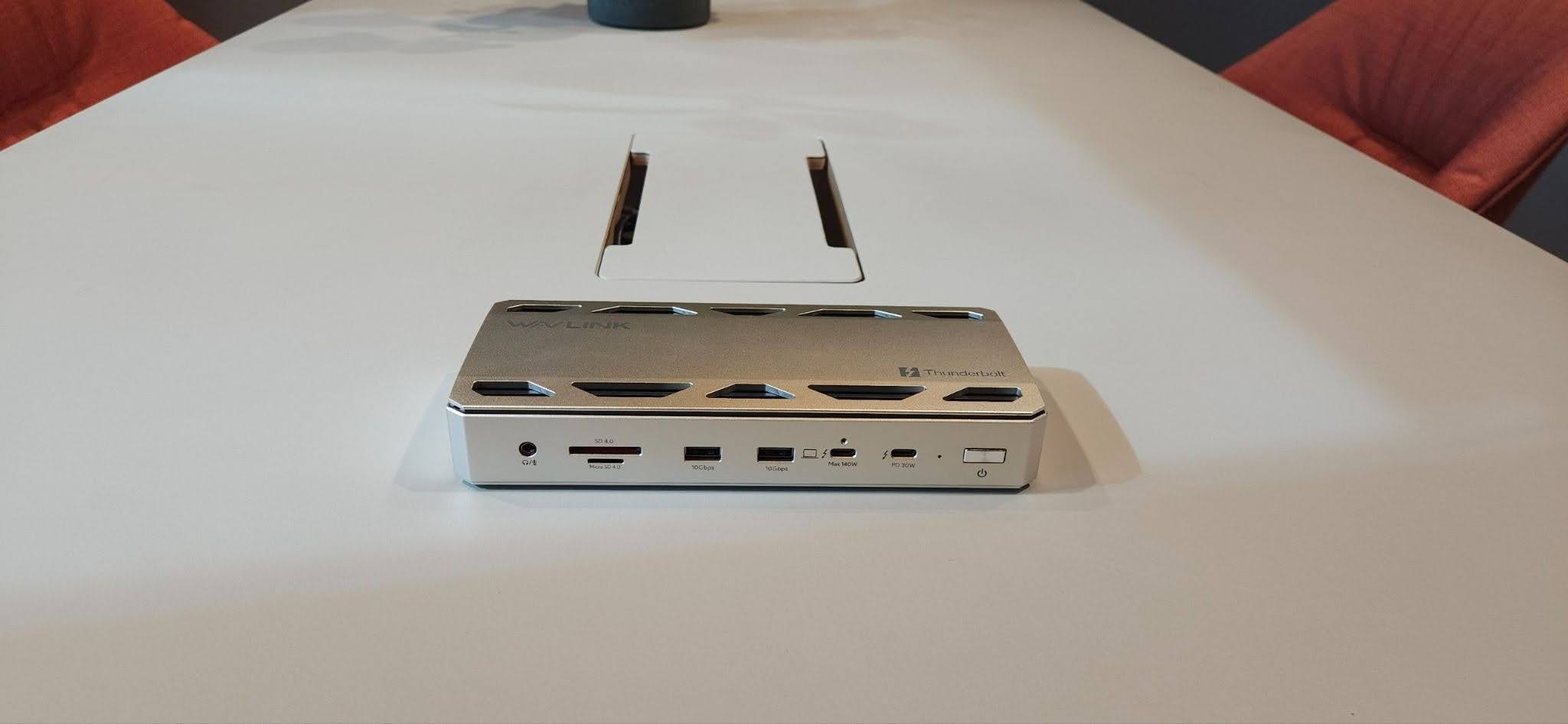
The main drawback is its size. The dock can feel slightly bulky, and its layout could be more refined to make frequently used connections easier to reach. Depending on how it is positioned on a desk, accessing certain ports may be less convenient than expected.
These are not necessarily deal-breakers, especially for users who value connectivity over portability. Nevertheless, a more compact design and better port accessibility would improve its everyday appeal.
Design verdict: The WL-UTD58-M earns a 4/5 for its modern appearance and solid construction, although its size and port layout leave room for improvement.
Thunderbolt 5 Connectivity and Data Transfer: 4.5/5
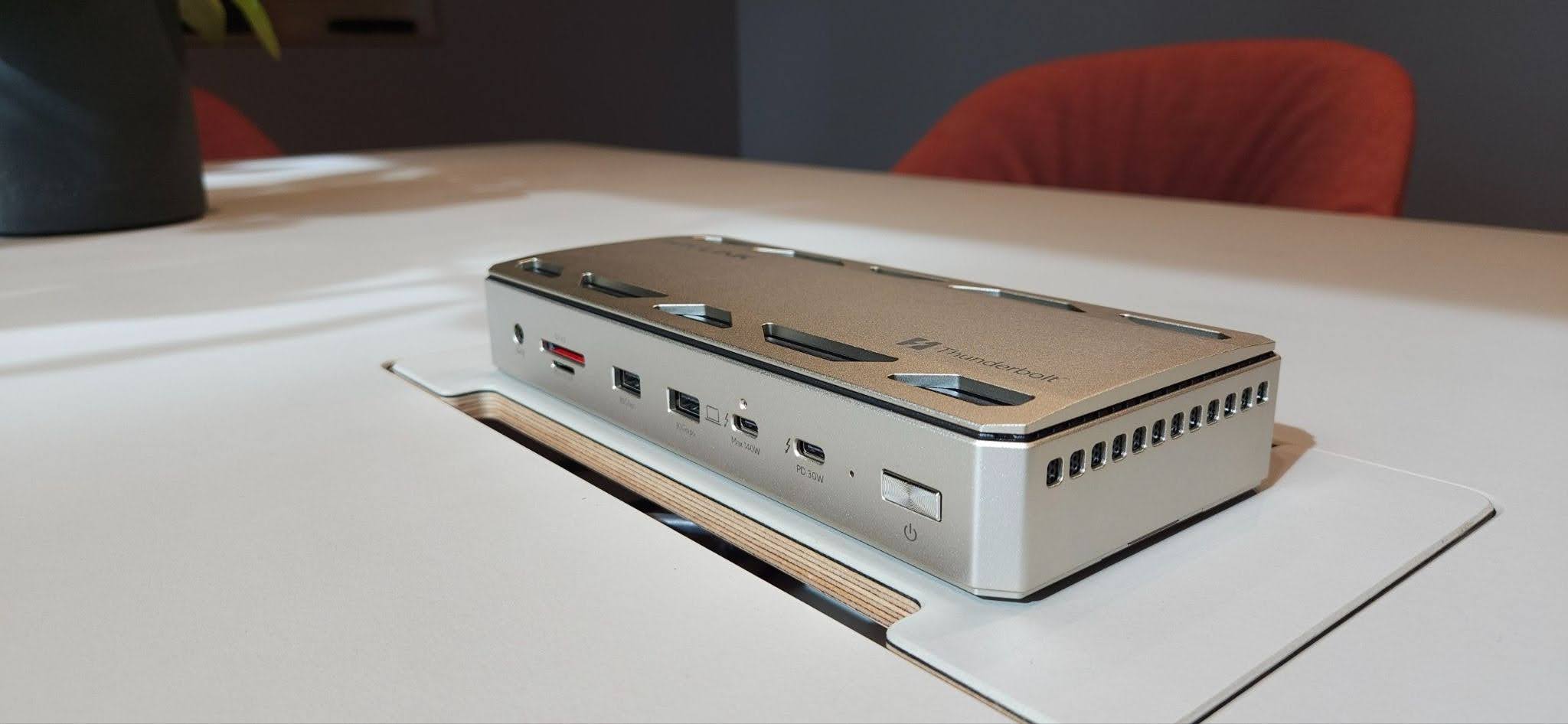
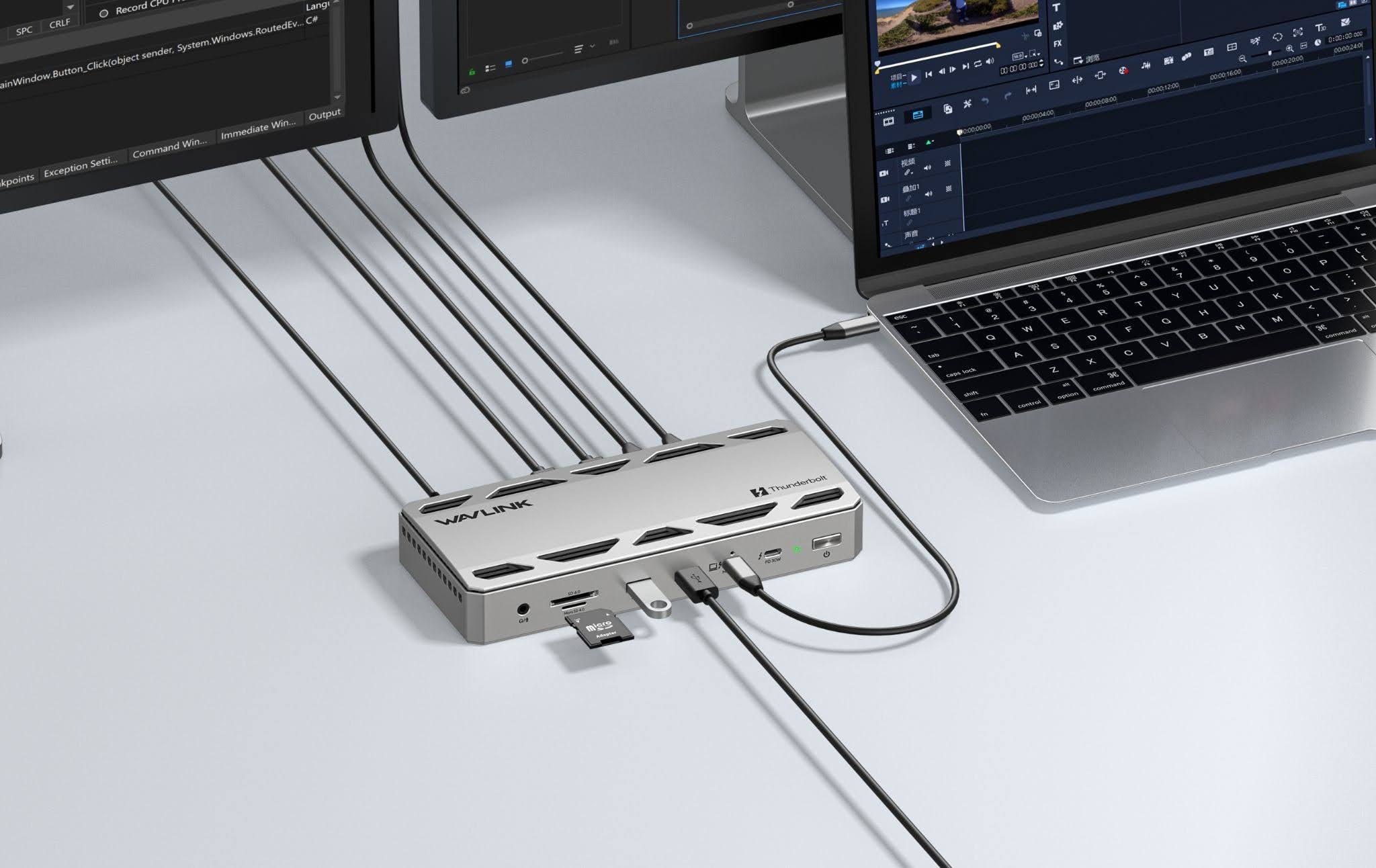
Connectivity is one of the main reasons to consider the WAVLINK WL-UTD58-M. Rather than relying on separate adapters for different peripherals, users can connect compatible devices through a central docking station.
Its Thunderbolt 5 interface is designed for demanding workflows that involve high-speed data transfer and multiple connected devices. Thunderbolt 5 can provide up to 80Gbps of bidirectional bandwidth, with bandwidth boost supporting up to 120Gbps in suitable configurations. Actual performance depends on the host computer, connected device, cable, and workload.
The dock's combination of Thunderbolt connectivity and additional USB ports can help accommodate peripherals such as external storage, keyboards, mice, and other accessories. This can be particularly useful for professionals who regularly move files between devices or need several accessories connected at once.
However, not every connected device will benefit from the same transfer speeds. The capabilities of the host computer and the specific port being used will affect performance. Users should therefore check the manufacturer's specifications before assuming that every connection supports the maximum advertised bandwidth.
For compatible systems, the WL-UTD58-M offers a practical way to consolidate connections without relying on multiple standalone adapters.
Multi-Monitor Support for Work and Creativity: 4.5/5
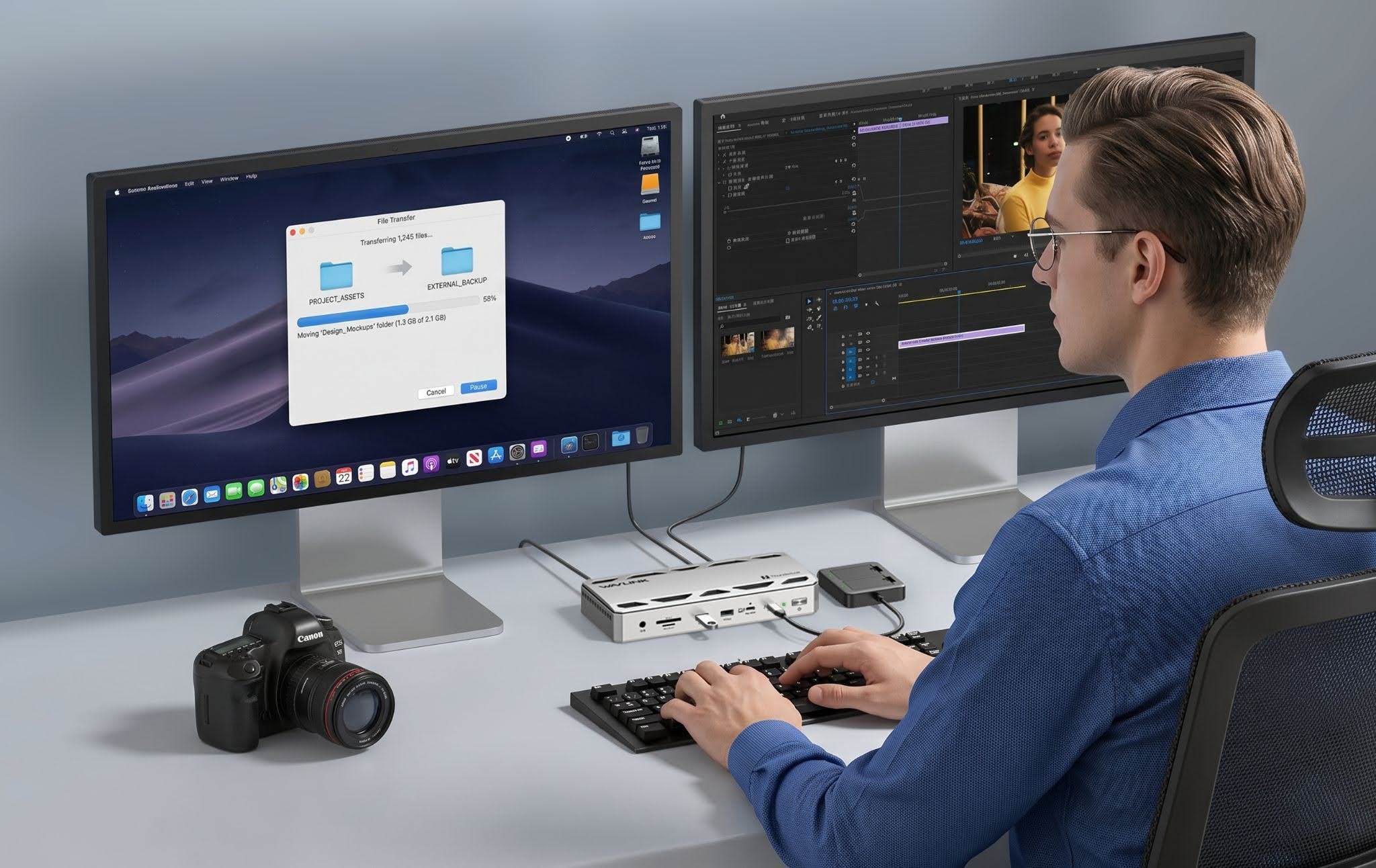
For people who work across several applications, additional displays can make multitasking more convenient. A larger desktop workspace can help users compare documents, monitor data, edit content, and keep communication tools visible without constantly switching between windows.
The WL-UTD58-M is designed to support multi-monitor setups, with the available display configuration depending on the computer and its capabilities. The manufacturer's stated support includes up to three external displays on compatible Windows systems and up to two on compatible Macs, subject to the specified hardware and display configurations.
The exact resolution and refresh rate available will also depend on the host computer, the displays, and the connections being used. Buyers should confirm that their intended setup is supported before purchasing the dock, particularly if they plan to use high-resolution monitors or high-refresh-rate displays.
For content creators, office workers, and professionals who rely on multiple screens, this flexibility can be a significant advantage. However, the number of displays supported by the dock alone does not guarantee that every laptop can run the same configuration.
Built-In SSD Expansion: 4/5
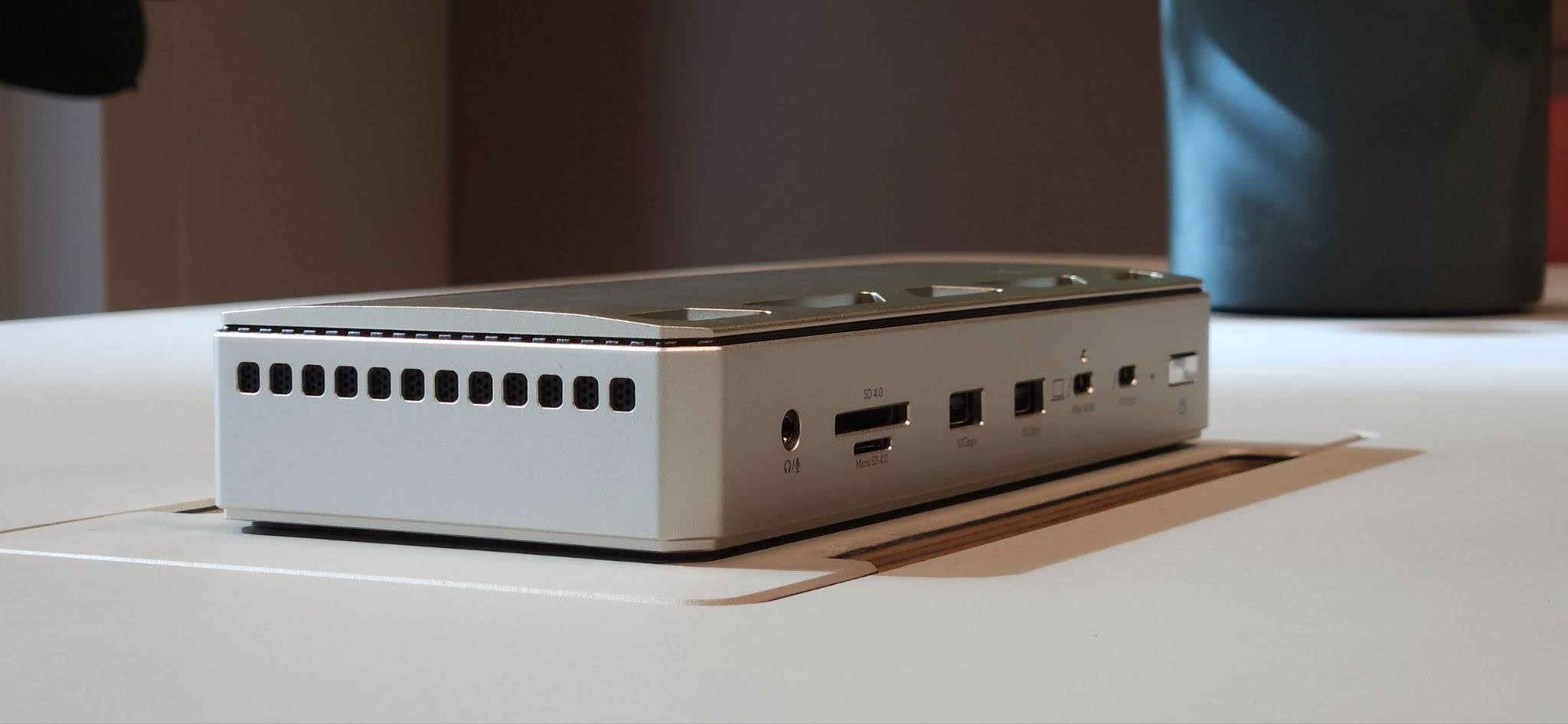
One of the more distinctive features of the WAVLINK WL-UTD58-M is its integrated M.2 SSD expansion slot. Instead of using a separate enclosure for additional storage, compatible users can install a supported NVMe SSD within the dock.
This arrangement can help consolidate storage and connectivity into one device. It may be especially useful for content creators, professionals working with large files, and anyone who regularly transfers data between storage devices and a computer.
WAVLINK advertises read and write speeds of up to 6,000MB/s for the supported SSD configuration. This is a maximum advertised figure rather than a guaranteed real-world result. Actual speeds depend on the SSD installed, the host system, the workload, and other technical factors.
The SSD is not included, so users who want to take advantage of this feature will need to account for the additional purchase. Drive compatibility also matters: the manufacturer's specifications should be checked to confirm the required M.2 form factor and supported NVMe interface.
For users who need extra storage, the integrated slot could be a useful addition. Those who already have sufficient storage or rarely transfer large files may find that it adds less value to their setup.
Laptop Charging and Everyday Convenience: 4.5/5
A docking station becomes more useful when it can reduce the number of connections needed to operate a workstation. By bringing peripherals, displays, networking, and charging together, the WL-UTD58-M is intended to simplify the transition between a laptop-based workspace and a more complete desktop setup.
The dock supports laptop charging of up to 140W under compatible conditions. This can be useful for people who want to connect their laptop to a single docking point rather than manage a separate charging connection alongside multiple peripheral cables.
However, maximum charging output is not universal. The laptop must support the relevant charging standard, and actual power delivery can depend on the dock's operating conditions and the connected equipment.
The straightforward setup and practical selection of connections can make everyday use more convenient. Once the dock is configured with compatible equipment, users can keep several peripherals connected and reduce the need to reconnect them individually whenever they return to their desks.
The slightly bulky design is a minor disadvantage, particularly for people who frequently move between workspaces. Still, for a stationary workstation with several connected devices, the convenience of centralised connectivity may outweigh the extra space it occupies.
Looking for a single hub for your workstation? Explore the WAVLINK WL-UTD58-M Thunderbolt 5 docking station to review its connectivity, charging, display, and storage expansion features.
Ease of Use and Overall User Experience: 4/5
A docking station can have impressive specifications but still disappoint if it is difficult to configure or use. The WL-UTD58-M aims to keep things straightforward by bringing multiple connections into one central device.
Its general setup process and practical connectivity options make it relatively easy to incorporate into a compatible workstation. Most everyday functions should be familiar to users who have previously worked with USB-C or Thunderbolt accessories, although some advanced features may require additional configuration or a closer look at the instructions.
The overall experience is best suited to people who understand what their computer and peripherals support. Users who expect every feature to work identically across different laptops, operating systems, cables, and monitors may need to spend more time checking compatibility.
The port layout could also be more intuitive. While the range of connections is useful, improved positioning would make frequently used ports easier to access. Its slightly bulky form may also affect how conveniently it fits into a smaller workspace.
Despite these limitations, the combination of straightforward setup, practical connectivity, and support for multiple types of peripherals makes the dock a potentially useful addition to a busy desk.
User experience verdict: A 4/5 rating reflects its straightforward setup and practical functionality, balanced against the less refined port layout and the learning curve associated with some advanced features.
Reliability and Everyday Performance: 4/5
A docking station needs to do more than provide a long list of ports. It should also offer dependable connections during everyday work.
The WL-UTD58-M's feature set is designed to accommodate common workstation tasks, from connecting peripherals and external storage to supporting compatible displays and laptop charging. When paired with suitable equipment, this combination can reduce the need to switch between several separate accessories.
However, performance should be considered in context. Data-transfer speeds, display output, charging, and peripheral behaviour can vary depending on the host computer, operating system, cables, connected devices, and workload. More demanding setups may also reveal limitations that are less noticeable during routine office tasks.
Long-term reliability requires a separate assessment. A solid-feeling chassis and satisfactory initial performance are encouraging, but they do not establish how well a device will hold up over years of continuous use. Extended testing would be needed to draw firmer conclusions about long-term durability.
For buyers, the practical takeaway is to evaluate the dock against the requirements of their own setup rather than relying solely on its advertised specifications.
Compatibility and Integration: 4/5
Compatibility is an important consideration when buying a Thunderbolt docking station. Although the WL-UTD58-M is designed to work with supported Thunderbolt and USB-C systems, not every computer will provide access to every feature.
The manufacturer's compatibility information should be checked against the laptop's ports, operating system, display capabilities, and charging requirements. The same applies to external monitors, SSDs, and cables.
For example, a USB-C port does not automatically support every Thunderbolt feature. Similarly, a laptop's own display-output limitations may restrict the number of external monitors it can operate, regardless of the dock's capabilities.
Users should also ensure that any SSD they install meets the specified requirements. Checking these details before purchase can help prevent unexpected limitations and make setup more straightforward.
Once compatibility is confirmed, the WL-UTD58-M can serve as a central connection point for a range of workstation peripherals. This makes it particularly appealing to users who want to reduce cable clutter and simplify how their devices connect to their computer.
Is the WAVLINK WL-UTD58-M Worth the Price?
The value of a docking station depends largely on how much of its functionality a buyer will actually use.
For professionals who regularly connect multiple peripherals, work with external displays, transfer large files, and need laptop charging through their docking setup, the WL-UTD58-M offers several useful features in one device. Its combination of Thunderbolt 5 connectivity, multi-monitor support, and an integrated SSD slot may reduce the need to buy and manage separate accessories.
The convenience could be particularly valuable for content creators, developers, and office professionals who use their workstations for several different tasks throughout the day.
However, the dock may be more than some users need. Someone who only wants to connect a mouse, keyboard, or single external monitor might be better served by a simpler and less expensive hub.
The additional SSD feature also contributes less to the value proposition for users who do not need extra storage. Likewise, buyers should consider whether their existing laptop and peripherals can take full advantage of the dock's advanced capabilities.
Ultimately, the WL-UTD58-M is most compelling when its range of features solves several problems at once. Buyers who need only basic connectivity should compare simpler alternatives before committing to a more advanced docking station.
Pros and Cons
Pros
- Versatile connectivity: Brings multiple types of connections together in one docking station.
- Thunderbolt 5 support: Designed for demanding data-transfer and workstation requirements on compatible systems.
- Multi-monitor capabilities: Supports expanded display setups, subject to host-device limitations.
- Integrated SSD expansion: Provides a way to add compatible NVMe storage without a separate enclosure.
- Laptop charging: Supports charging of up to 140W under compatible conditions.
- Straightforward setup: Offers a practical approach to connecting several peripherals through one central device.
- Premium construction: The aluminium alloy chassis gives the dock a solid, professional appearance.
Cons
- Slightly bulky design: It may take up more desk space than some users prefer.
- Port layout could be improved: Better positioning could make frequently used connections easier to reach.
- Compatibility matters: Some features depend on the host computer, operating system, cables, and connected accessories.
- SSD sold separately: Users must purchase a compatible drive to take advantage of the storage expansion slot.
- May be excessive for basic needs: Buyers who require only a few ports may find a simpler hub more economical.
- Long-term durability needs assessment: Initial impressions alone cannot establish how the dock will perform over several years.
A Practical Dock for Demanding Workstations: 4/5 Overall
The WAVLINK WL-UTD58-M Thunderbolt 5 docking station brings together a broad range of connectivity options, multi-monitor support, laptop charging, and integrated SSD expansion. For users who regularly work with several peripherals and need a more organised workstation, this combination offers a practical alternative to managing multiple separate adapters.
Its main strengths are its extensive connectivity, advertised display capabilities, high-power charging support, and integrated storage option. The aluminium chassis and temperature-controlled fan are also relevant design features for a dock intended for demanding workstation use.
However, the dock is not necessarily the best choice for everyone. Its physical size may be inconvenient in smaller workspaces, and buyers need to confirm that their computers and peripherals support the features they intend to use. The SSD also needs to be purchased separately.
Price is another consideration. The WAVLINK Official Store lists the product at $349.99 (approximately £264.19), making it best suited to users who can take advantage of several of its advanced features.
Overall, the WL-UTD58-M is worth considering if you need a central connection point for a demanding workstation. Its specifications offer considerable flexibility, but whether it represents good value depends on your computer, peripherals, storage requirements and actual purchase price.
Ready to upgrade your workstation? Visit the official WAVLINK WL-UTD58-M product page to check its specifications and determine whether it meets your connectivity requirements.
© Copyright IBTimes 2026. All rights reserved.