How to Bypass Post Office Queues and Renew Your US Passport Online in 40 Minutes
A new US State Department system lets eligible Americans renew their passports online in around 40 minutes, cutting out post office queues but not the usual processing wait.
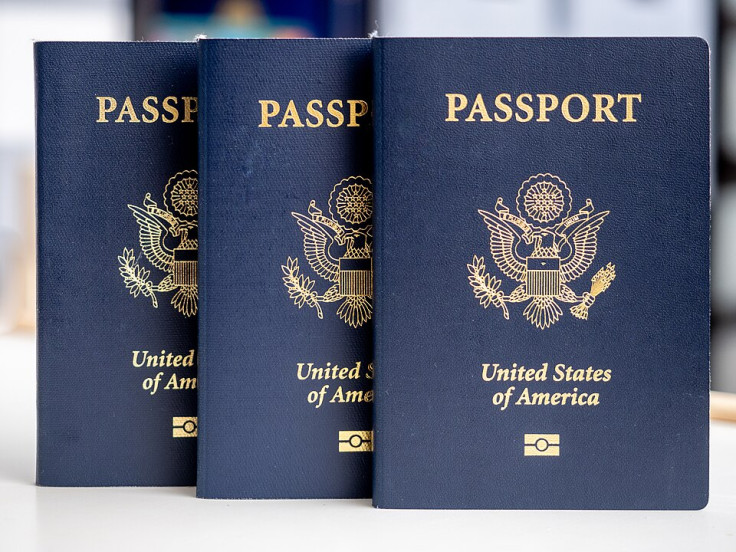
US citizens living in the United States can now renew a standard 10‑year passport online in around 40 minutes, according to the US State Department, sidestepping paper forms, post office queues and cheques in favour of a fully digital process run through the government's MyTravelGov portal.
Passport renewal in the US has traditionally meant downloading and printing Form DS-82, booking a photo at a pharmacy or photo booth, then mailing everything off with a cheque or money order and hoping nothing gets lost in the post.
The State Department's new online passport renewal system keeps the same processing times but strips out almost every analogue step, replacing it with a web form, digital photo upload and card payment.
Online Passport Renewal: Who Qualifies and What It Changes
The news came after the department set up an eligibility test that quietly draws a clear line between those who can use the new system and those still stuck with the old one. The broad rule is that if your passport was issued within the last 15 years, and you are now at least 25, you are probably in luck.
To qualify for online passport renewal, applicants must be 25 or older, live in a US state or territory, and hold a current or expired 10‑year passport that was issued at least nine years ago but not more than 15 years ago.
They must still have that passport in their possession, and it cannot be damaged or mutilated. If the book is lost, stolen or in pieces, the online path is closed.
There is also a long list of quiet 'no's' baked in. You cannot use online renewal if you hold a diplomatic, official or other 'special issuance' passport. You cannot change your name, gender, place of birth or date of birth in the process.
You must be able to pay by credit card, debit card or ACH bank transfer, and you must be able to upload a compliant digital passport photo.
The last condition is the one most travellers are likely to miss if they rush. The State Department warns that you must not plan international travel for eight weeks after submitting your online passport renewal, because once your application is accepted, your existing passport is immediately cancelled, even if it has time left on the clock. If you ignore that warning and book a flight for a fortnight later, you could find yourself grounded with no valid travel document.
Officials are also at pains to stress what the new system does not do. While the application itself may now take only around 40 minutes, the State Department is sticking to its standard 'routine service' processing window. Whether you apply online or by post, you are told to expect your new passport in roughly four to six weeks, with some guidance later stretching that to six to eight weeks for delivery.
Those who need a passport sooner still have to fall back on the older channels. Expedited processing is available only by mail or in person and costs an extra $60, with online renewal explicitly excluded if you are travelling in the near future.
How the 40‑Minute Passport Renewal Actually Works
Renewing online starts not at the State Department's main site, but with a MyTravelGov account that is tied into the federal login.gov system. After clicking 'Sign in' on MyTravelGov, new users are pushed to create a login.gov profile by entering an email address, picking a language (English, Spanish or French), verifying the address from an email link, choosing a password and setting up multi‑factor authentication.
Once that is done, MyTravelGov asks for basic personal details such as first and last name, then opens the online passport renewal page. A blue 'Start' button kicks off the application itself, which the department says should take about 40 minutes if you have everything to hand.
The online form asks for your current passport details, your legal name and whether you want to renew a passport book, a passport card or both. You then upload a digital passport photo that meets the usual US requirements and enter payment information for the renewal fee using a card or bank routing and account numbers.
After you hit submit, MyTravelGov sends two separate email messages: one confirming the pending payment and a second confirming that the money has been received. Around a week later, you can use the State Department's online passport status system to sign up for email updates and track progress through the routine processing queue.
What you receive at the end mirrors what you had at the start. A passport card can be renewed online only if you already have one. The same goes for a passport book.
If you hold both, you can renew both together. The card, a wallet‑sized document that looks more like a driving licence, still cannot be used for international air travel, remaining limited to land and sea crossings to Canada, Mexico and Caribbean countries.
For now, there is no confirmed launch date for Apple's much‑rumoured 'digital passport' feature on the iPhone, and no official suggestion that online passport renewal will speed up the paper‑heavy machinery behind the scenes. All that has really changed is the bit most people hate: the form‑filling, cheque‑writing, post office trudge.
© Copyright IBTimes 2026. All rights reserved.
- Recommended For You