

MINISFORUM MS-A2 Review: Can This Compact Workstation Deliver Extreme Performance?
With expandable DDR5 memory, U.2 and M.2 storage, fast networking and PCIe expansion, the MS-A2 targets professionals who need flexibility without a full-size desktop tower
Workstations have traditionally been associated with large desktop towers, substantial cooling systems and dedicated spaces in professional environments. However, the growing demand for powerful yet space-efficient computers has encouraged manufacturers to rethink how much performance can fit SPinto a compact enclosure.
The MINISFORUM MS-A2 Workstation is designed around this idea. Combining AMD Ryzen 9 processing options with expandable memory, multiple storage configurations, high-speed networking and PCIe expansion, it aims to provide professionals with considerable computing flexibility without the footprint of a conventional desktop workstation.
Its specifications make it an interesting proposition for software developers, IT professionals, business users and technology enthusiasts. But how much does the MS-A2 offer beyond its compact dimensions, and what should potential buyers consider before investing in one?
A Compact Workstation With Serious Processing Power
The MINISFORUM MS-A2 is a compact desktop computer designed to accommodate demanding professional and technical workloads. One of its headline configurations features the AMD Ryzen 9 9955HX, a Zen 5 processor with 16 cores, 32 threads and a maximum boost clock of up to 5.4GHz.
This processing architecture is particularly relevant to applications that benefit from multiple cores working simultaneously. Software development, data processing, multitasking and virtualised environments are among the workloads that can take advantage of its available processing resources.
The platform also offers a Ryzen 9 7945HX configuration, depending on the model selected. Buyers should check the exact specification before ordering, as processor options and other hardware components vary between configurations.
Despite its workstation ambitions, the MS-A2 occupies a relatively small space. Its approximately 196 × 189 × 48mm chassis has a volume of around 1.78 litres, making it suitable for workspaces where a conventional desktop tower would be unnecessarily bulky.
This combination of processing capability and compact construction could appeal to professionals who need substantial computing resources but prefer a less intrusive desktop setup.
Expandable Memory for Multitasking and Professional Applications
Processor performance is only one part of a workstation's capabilities. Memory capacity can also determine how effectively a system handles demanding applications and multiple simultaneous processes.
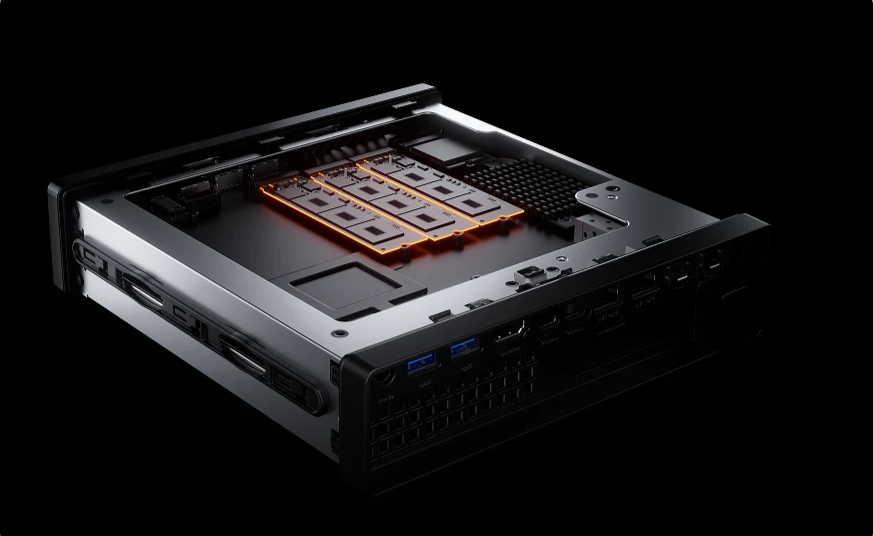
The MS-A2 supports up to 96GB of DDR5 memory through two SO-DIMM slots. Depending on the processor configuration, supported memory speeds include DDR5-5600 and DDR5-5200.
The expandable memory arrangement gives users some flexibility when configuring the system around their requirements. Developers running several development environments, professionals working with large datasets and users operating multiple virtual machines may benefit from having additional memory available.
It also means buyers can consider their immediate requirements while retaining some room for future upgrades.
However, the actual performance of any configuration will depend on its processor, memory arrangement, storage and software workload. The highest supported memory capacity should not automatically be treated as the standard specification of every model.
Multiple Storage Options and High-Speed Networking
Storage flexibility is another important part of the MINISFORUM MS-A2's workstation proposition.
The system provides three onboard storage positions, including support for U.2 NVMe and M.2 22110 drives. The manufacturer lists support for enterprise U.2 drives of up to 15TB, alongside M.2 storage options of up to 4TB per supported position.
This arrangement could be useful for professionals managing large project files, extensive development environments, media libraries or locally hosted data.
The MS-A2 also supports RAID 0 and RAID 1 configurations. RAID 0 combines drives to improve storage performance, while RAID 1 mirrors data across drives to provide redundancy. Users should nevertheless maintain separate backups, as RAID configurations do not protect against every form of data loss.
Networking is another area where the workstation offers more flexibility than many compact desktop computers.
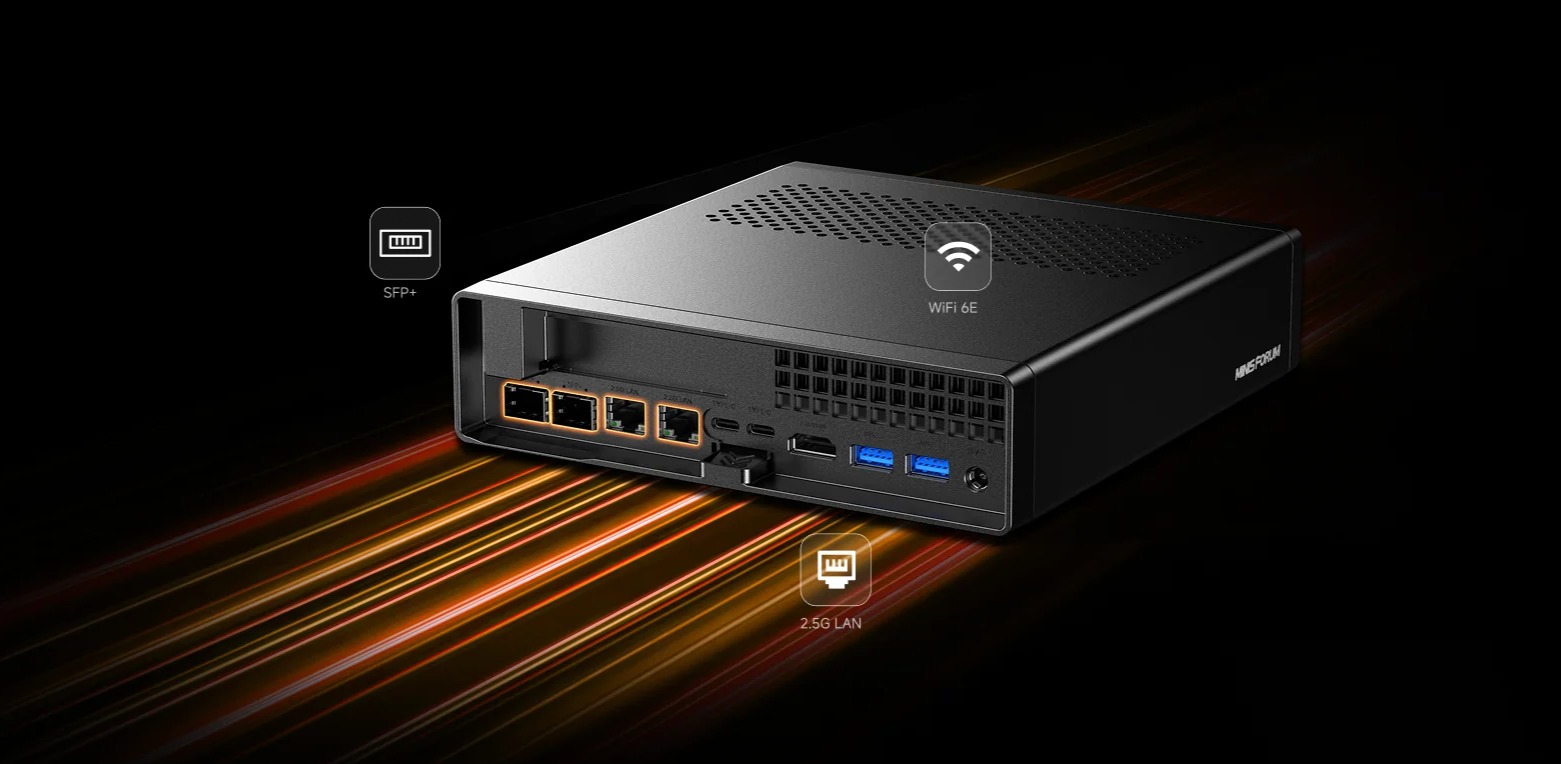
Its connectivity includes two 10Gbps SFP+ ports and two 2.5Gbps Ethernet ports. These connections give users several options for integrating the machine into high-speed network environments, connecting to network-attached storage and managing more specialised infrastructure.
For IT professionals and home-lab enthusiasts, the dual SFP+ connections could be particularly useful when building or maintaining network-intensive environments. Businesses may also find the combination valuable when deploying systems that need to communicate with multiple network resources.
PCIe Expansion Gives Users More Options
A compact computer can become restrictive when its internal hardware cannot accommodate additional components. MINISFORUM addresses some of this limitation by including a PCIe expansion slot in the MS-A2.
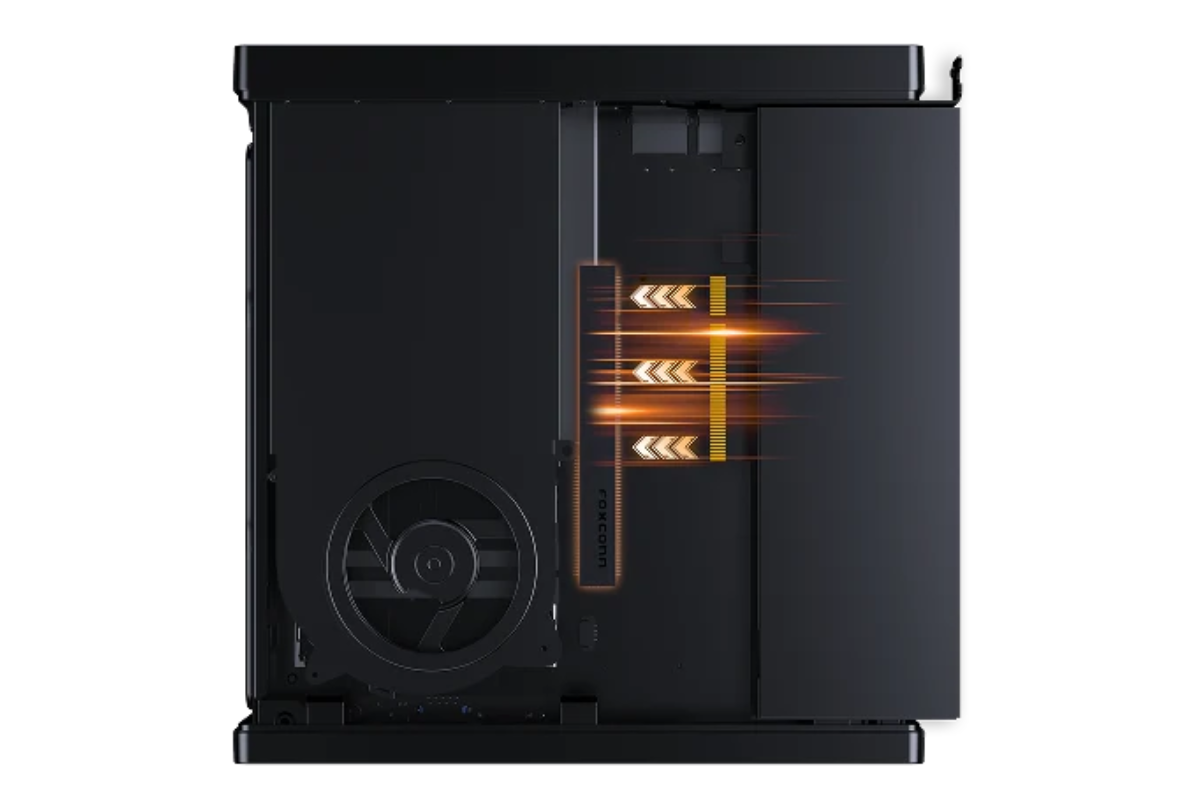
The physical slot uses PCIe 4.0 x8 bandwidth despite its x16 form factor. It also supports lane splitting into two PCIe 4.0 x4 connections, providing additional flexibility for compatible expansion hardware.
This could be particularly relevant to users who need to add networking capabilities or install a dedicated graphics solution.
The graphics configuration deserves particular attention. The system's integrated AMD Radeon 610M is suitable for everyday display output and basic graphical tasks, but it is not intended to compete with dedicated GPUs in demanding applications.
Professionals working with intensive 3D modelling, complex visual effects, GPU-accelerated rendering or other graphics-heavy workloads should therefore investigate the available expansion options before purchasing.
In other words, the MS-A2's processing capabilities make it an interesting workstation platform, but users should distinguish between CPU performance and graphics performance when deciding whether it meets their requirements.
Cooling and Thermal Management in a Small Chassis
Fitting a high-performance processor into a compact enclosure presents a practical challenge: maintaining effective cooling without making the system excessively noisy or compromising sustained performance.
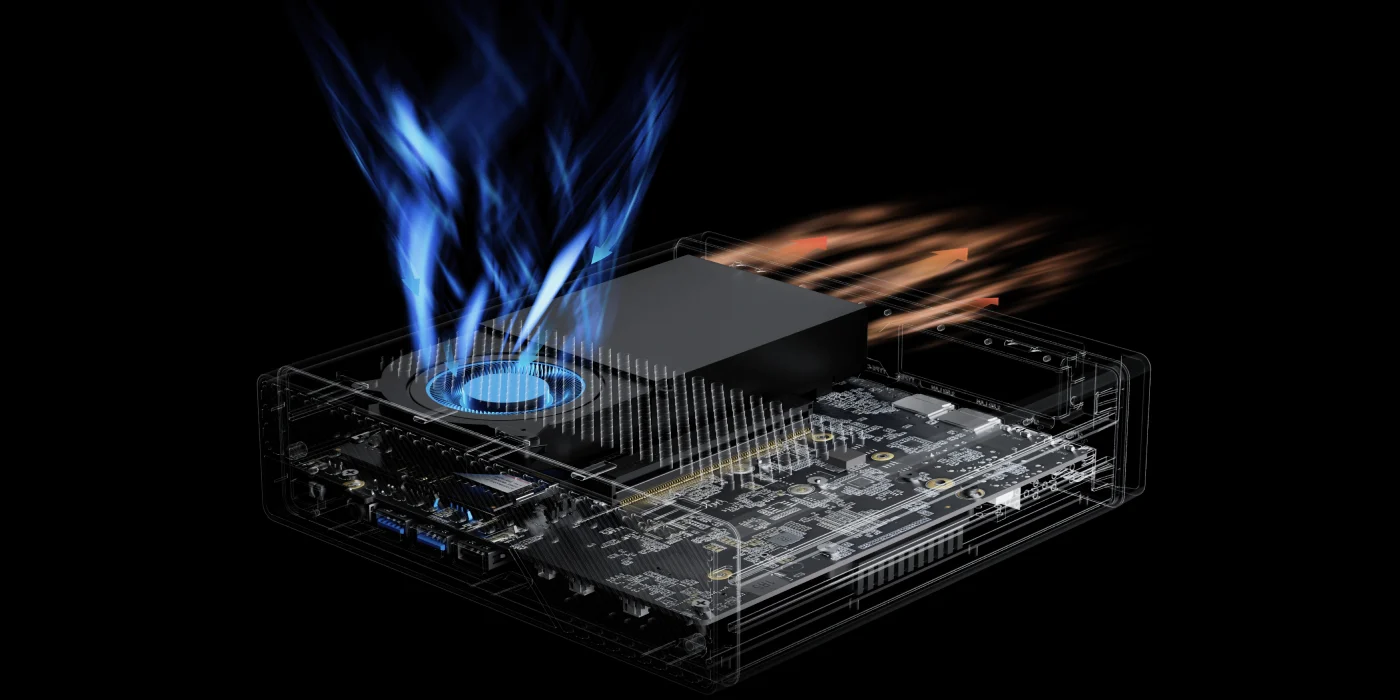
The MINISFORUM MS-A2 uses a cooling arrangement featuring three pure copper heat pipes, phase-change thermal material and an upgraded turbo fan. The manufacturer also claims that its revised fan design increases airflow by 30%.
These components are intended to improve heat transfer and help the system manage demanding workloads.
Nevertheless, independent testing suggests that thermal management remains an important consideration. Notebookcheck's review reported cooling limitations during prolonged heavy workloads, including processor throttling and noticeable fan activity.
This is worth considering for professionals who expect to run processor-intensive applications continuously. While the MS-A2 offers substantial processing resources, its compact construction creates constraints that buyers should weigh against their intended workloads.
The distinction between short bursts of demanding activity and sustained heavy processing is particularly important when evaluating a compact workstation.
Who Should Consider the MINISFORUM MS-A2?
The MS-A2 is best understood as a configurable compact workstation rather than a universal replacement for every desktop computer.
Software developers, IT professionals and home-lab enthusiasts may find its combination of high-core-count processing, expandable memory, multiple storage options and high-speed networking particularly appealing.
Small businesses could also consider it for specialised computing environments where a compact footprint and extensive connectivity are more important than integrated high-end graphics.
However, creative professionals whose workflows depend heavily on GPU acceleration should examine the graphics configuration and expansion requirements before making a decision. Similarly, users who anticipate running demanding processor-intensive applications for extended periods should account for the cooling considerations identified in independent testing.
The barebone configuration also deserves attention. Buyers choosing this option should factor in the cost of compatible memory, storage and an operating system where these are not included.
Interested in exploring its configurations? The MINISFORUM MS-A2 Workstation is available through the manufacturer's product page, where prospective buyers can examine the available options and select a configuration that aligns with their computing requirements.
Is the MINISFORUM MS-A2 Workstation Worth Considering?
The MINISFORUM MS-A2 brings together several capabilities that are not always available in compact desktop computers. Its AMD Ryzen 9 processor options, support for up to 96GB of DDR5 memory, flexible NVMe and U.2 storage, dual 10Gbps SFP+ ports and PCIe expansion make it an interesting option for professional and technical users.
Its limitations are equally important. The integrated Radeon 610M graphics are not designed for demanding GPU workloads, while independent testing raises questions about cooling and noise during prolonged intensive operation.
Ultimately, the workstation's appeal depends on its configuration and intended application. Developers, network-focused professionals and users building compact computing or home-lab environments may find its combination of processing power, storage flexibility and connectivity particularly useful.
For buyers seeking a space-efficient system with room to expand, the MINISFORUM MS-A2 offers a compelling alternative to a conventional desktop setup, provided its graphics capabilities and thermal characteristics meet their expectations.
Explore the MINISFORUM MS-A2: Visit the official product page to review its specifications and available configurations.
© Copyright IBTimes 2026. All rights reserved.