

GTA 6 on Xbox One Requires No Next-Gen Upgrade, but Microsoft Warns of Streaming Quality Issues
Microsoft says the game uses Xbox Series S graphics settings when streamed, but audio and picture quality may occasionally deteriorate
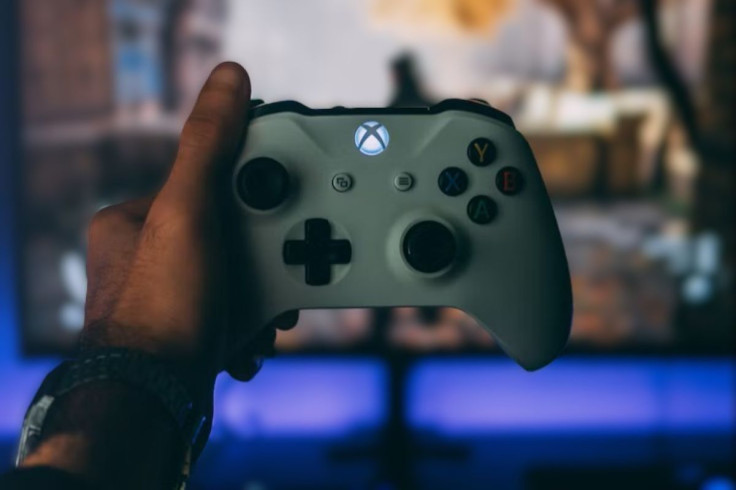
Xbox One owners in supported markets can play Grand Theft Auto VI without upgrading their console, Microsoft explained in a guide published on 23 November 2026. However, the company acknowledges that playing GTA 6 on Xbox One through cloud streaming can involve occasional reductions in picture and sound quality.
Microsoft announced on 10 November that Rockstar Games' latest release would support Xbox Cloud Gaming from its launch on 19 November. The arrangement gives players an alternative to purchasing newer hardware.
There is an important distinction. Rockstar Games has not released a native Xbox One edition. Within the Xbox console family, native gameplay is available on the Xbox Series X and Series S.
What Players Need To Run GTA 6 on Xbox One
According to Microsoft's 23 November gaming guide, GTA 6 uses Xbox Series S graphics settings when streamed through Xbox Cloud Gaming.
The game runs remotely rather than relying on the Xbox One's hardware to process gameplay. Players must purchase GTA 6 separately from the Xbox Store, meaning access to cloud gaming alone does not entitle them to play the title.
Microsoft's September announcement outlined changes to the streaming allowances included with its Game Pass subscriptions, which took effect in November.
Game Pass Ultimate includes 15 hours of cloud gaming each month, while Premium and Essential offer 10 and five hours, respectively. Subscribers who exhaust their allowances can purchase additional streaming time.
The development drew attention on social media, with X user Dr.Spligtz highlighting the longevity of the Xbox One, which launched in 2013. In a 24 November post, the user welcomed the console's ability to stream GTA 6, writing, 'Not bad for a 2013 box.'
Xbox One turned 13 yesterday and can now play GTA 6 through Xbox Cloud Gaming. Per Xbox Wire it streams at Series S settings, select Game Pass plans include up to 15 cloud hours a month, and you still need to own the game. Not bad for a 2013 box. #PlayStation #Xbox #Nintendo pic.twitter.com/d7RbVmyVPy
— Dr.Spligtz (@MR_SPLIGTZ) November 23, 2026
These limits apply to cloud gaming generally rather than exclusively to GTA 6. Microsoft attributed the introduction of monthly allowances to the increasing cost of operating its streaming service.
Since 11 November, customers in supported markets have also been able to purchase cloud gaming hours without subscribing to Game Pass.
To begin playing, Xbox One owners should locate GTA 6 through the console guide. Selecting 'Manage' and then 'See in Microsoft Store' takes players to the game's listing, where they can choose 'Play With Cloud'.
Microsoft cautions that purchasing options, device compatibility and account eligibility may vary between markets.
Microsoft Warns of Streaming Limitations for GTA 6 on Xbox One
Microsoft recommends using a wired Ethernet connection wherever possible. Even wireless networks with substantial bandwidth can experience occasional interruptions to audio and video quality, according to the company's guidance.
The announcement does not provide comparative frame-rate figures or latency measurements. Using Xbox Series S graphics settings therefore does not establish that cloud streaming matches the experience of running GTA 6 directly on newer hardware.
The development also prompted speculation about the future of console gaming. In a 26 November post on X, Patrick C Toulme predicted that major video game releases would eventually move towards streaming rather than local downloads.
Toulme suggested that future AAA games might no longer be released for local console downloads.
Moral of the story here is the entire video game industry has to translate into streaming games only.
— Patrick C Toulme (@PatrickToulme) November 25, 2026
I do not think another AAA game will be released with local console download. This was pretty predictable though. https://t.co/EJ03kxxYSq
Players who already own an Xbox Series X or Series S have another option through Remote Play. This feature allows them to stream gameplay from their own console to compatible mobile devices, computers and handheld gaming PCs.
To activate the feature, players must enable remote access within their console's settings under 'Remote features'.
Mobile users can connect through Microsoft's Remote Play website, while computer users can access their console using the Xbox PC app.
Microsoft also offers an optional connection test through the remote features menu. The test gives players an indication of the streaming quality they can expect from their connection.
© Copyright IBTimes 2026. All rights reserved.